How to Create Bold and Simple Vector Illustrations offers a comprehensive guide that empowers designers to explore the vibrant world of vector graphics. These illustrations are pivotal in modern design, renowned for their scalability and clarity, making them ideal for various applications, from digital platforms to print media. By embracing vector graphics, artists can achieve stunning visuals that retain their quality across different sizes, thus enhancing their creative expression.
This guide will delve into essential design principles and the necessary tools, while also providing practical techniques for creating impactful vector illustrations. Whether you are a seasoned designer or a beginner eager to learn, this resource will equip you with the knowledge to bring your bold ideas to life.
Introduction to Vector Illustrations
Vector illustrations are graphical representations created using vector graphics, which are defined by mathematical equations rather than pixels. This unique characteristic allows vector images to be scaled infinitely without any loss of quality, making them an essential tool in various design disciplines, including graphic design, animation, and web design. Their significance lies in their versatility and ability to maintain clarity across different sizes, which is particularly important in today’s multi-device environment.The advantages of using vector graphics over raster images are manifold.
Unlike raster images, which are made up of a fixed number of pixels, vector graphics utilize points, lines, and curves to form images. This distinction results in several key benefits: vector images are resolution-independent, meaning they can be resized without degradation; they often require smaller file sizes, leading to faster loading times; and they can easily be edited, allowing for greater creative flexibility.
These aspects make vector illustrations an ideal choice for logos, icons, and other design elements that may require frequent scaling or modification.
Primary Software Tools for Creating Vector Illustrations
A range of software tools is available for creating vector illustrations, each offering unique features catering to different artistic needs. Familiarizing oneself with these tools can significantly enhance the illustration process. The following are some of the most widely used software applications for vector graphic creation:
- Adobe Illustrator: As one of the industry standards, Adobe Illustrator provides a robust set of tools for creating complex vector illustrations. It offers features such as the Pen Tool, various shape tools, and comprehensive color management options, making it suitable for both beginners and professional designers.
- CorelDRAW: CorelDRAW is a popular alternative to Adobe Illustrator, known for its user-friendly interface and powerful design capabilities. It includes tools for designing, editing, and outputting vector graphics, and is particularly favored for print design and branding projects.
- Inkscape: Inkscape is a free, open-source vector graphics editor that caters to those seeking a cost-effective solution without compromising on functionality. It supports various file formats and offers a wide range of tools, including object manipulation and path editing features.
- Affinity Designer: Affinity Designer is a newer player in the vector graphics field, but it has gained popularity due to its affordability and efficiency. It offers a seamless experience for both vector and raster graphics, allowing designers to easily switch between the two modes.
The choice of software often depends on the specific needs of the project and the designer’s familiarity with the tools. Each software has its strengths, and leveraging the right tool can significantly impact the quality and efficiency of creating vector illustrations.
Essential Design Principles
Creating bold and simple vector illustrations requires a solid understanding of fundamental design principles. These principles not only guide the creation process but also ensure that the resulting artworks are visually appealing and effectively communicate the intended message. By focusing on these essential elements, illustrators can elevate their designs and engage their audience more effectively.
Key Design Principles in Vector Illustrations
Several design principles are crucial in achieving the desired aesthetic and functional quality in bold and simple vector illustrations. These include contrast, alignment, repetition, and proximity. Each of these concepts plays a pivotal role in the overall effectiveness of a design. For instance:
- Contrast: This principle is vital for making elements stand out. High contrast between colors, shapes, and sizes can guide viewers’ attention and create visual interest.
- Alignment: Proper alignment ensures that elements are arranged in a cohesive manner, leading to a more organized and professional look.
- Repetition: Consistent use of colors, shapes, or patterns reinforces the overall design theme and helps in creating a unified composition.
- Proximity: Grouping related elements together helps viewers understand the relationship between different parts of the design, enhancing clarity and focus.
Importance of Color Theory in Vector Illustration
Color theory is a critical component of vector illustration that affects perception and emotion. Understanding how colors interact and the psychological implications of different hues can significantly enhance the impact of a design. Proper application of color theory can result in illustrations that resonate with the audience and convey the intended message effectively.
- Color Harmony: Utilizing harmonious color schemes, such as complementary or analogous colors, creates a sense of balance and visual appeal.
- Emotional Impact: Different colors evoke specific emotions; for instance, blue may convey calmness, while red may stimulate excitement. Therefore, choosing the right colors is essential in setting the mood.
- Contrast and Visibility: Effective use of contrasting colors ensures that key elements of the illustration are prominent and easily recognizable, aiding in communication.
Role of Composition and Layout
The composition and layout of a vector illustration determine how well the various elements work together to create a cohesive image. A well-composed illustration guides the viewer’s eye through the design, ensuring that the most important information is easily accessible. Key considerations in composition include:
- Focal Point: Establishing a clear focal point directs the viewer’s attention to the most important part of the illustration.
- Grid Systems: Utilizing a grid can help maintain balance and proportion within the layout, enhancing the overall structure of the design.
- White Space: Adequate use of white space prevents overcrowding and improves readability, allowing elements to breathe and stand out.
- Visual Hierarchy: Creating a hierarchy with size, color, and placement helps to prioritize information, guiding viewers through the illustration in a logical manner.
Effective design is not just about aesthetics; it is about creating a visual language that communicates ideas clearly and resonates with the audience.
Tools and Software for Creating Vector Illustrations
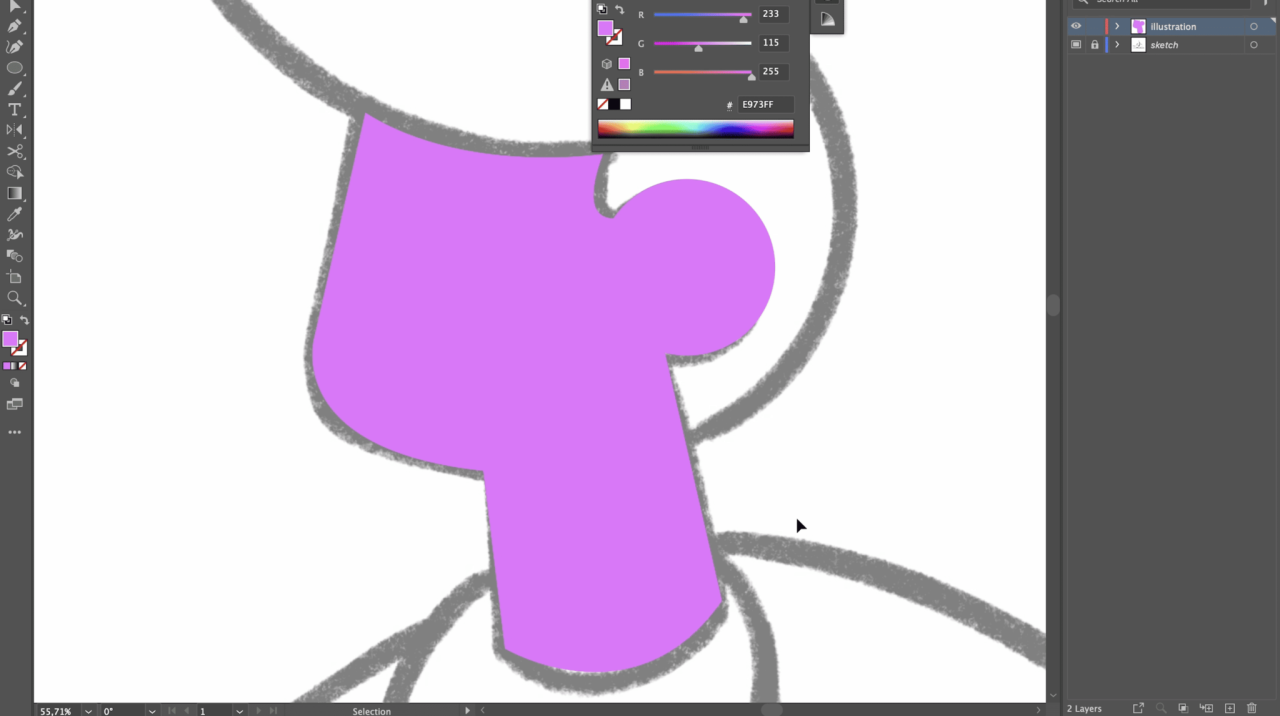
Vector illustrations have become increasingly popular in various design fields, enabling artists and designers to create scalable artwork that maintains its quality at any size. To effectively create vector illustrations, choosing the appropriate software is essential. Here is an overview of some of the most popular tools available for vector illustration, along with a comparison of their features and tips for selecting the right one based on your project needs.
Popular Software Options
Several software programs are renowned for their vector illustration capabilities. The following are key players in the market:
- Adobe Illustrator: This is the industry standard for vector graphic design, offering an extensive set of tools and features. It includes advanced drawing tools, a vast library of brushes, and the ability to create intricate shapes and designs. Adobe Illustrator is particularly noted for its integration with other Adobe Creative Cloud applications, enabling a seamless workflow for multimedia projects.
- CorelDRAW: CorelDRAW is another powerful vector illustration software that provides a user-friendly interface. It features advanced tools for typography, layout, and color management. CorelDRAW is favored by many designers for its speed and efficiency, especially in print design and marketing materials.
- Inkscape: As an open-source option, Inkscape is a free alternative that offers many capabilities similar to those found in Adobe Illustrator. It is well-regarded for its extensive features, including path editing, shape creation tools, and support for various file formats. Inkscape is ideal for those who are just starting in vector illustration or those who require a budget-friendly option.
Comparison of Features
When choosing vector illustration software, it is important to consider the features offered by each program. Below is a comparison of key aspects to take into account:
| Feature | Adobe Illustrator | CorelDRAW | Inkscape |
|---|---|---|---|
| Price | Subscription-based | One-time purchase | Free |
| User Interface | Professional and complex | Intuitive and user-friendly | Simple but less polished |
| Advanced Drawing Tools | Yes | Yes | Yes |
| File Format Support | Extensive | Extensive | Moderate |
| Community and Support | Large and active | Strong community | Growing community |
Tips for Selecting the Right Software
Choosing the right vector illustration software hinges on various factors including project requirements, budget, and personal preference.
- Assess Your Needs: Determine the complexity of the projects you will be working on. If you require advanced tools and features, Adobe Illustrator or CorelDRAW may be more suitable.
- Consider Your Budget: If cost is a constraint, Inkscape offers a viable solution without sacrificing essential features, making it a great choice for beginners.
- Evaluate Learning Curve: If you are new to vector illustration, consider software with a more user-friendly interface, such as CorelDRAW, or utilize resources available for Inkscape to facilitate your learning process.
- Look for Compatibility: Ensure that the software you choose is compatible with other tools and platforms you may use, especially if you work within a team or across different mediums.
“Selecting the right vector illustration software can significantly impact your creative workflow and the quality of your final work.”
Steps to Create Bold Vector Illustrations
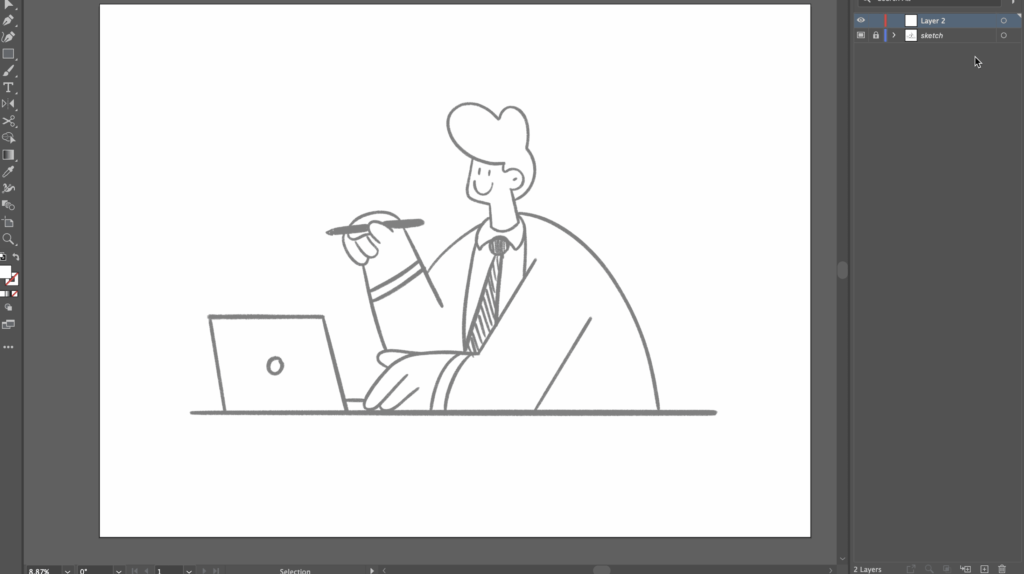
Creating bold vector illustrations requires a clear understanding of the design principles and techniques that contribute to effective visual communication. This process involves utilizing shapes, lines, and contrasting elements to achieve a striking and memorable outcome. The following steps Artikel a systematic approach that can help designers craft bold vector illustrations that stand out.To create bold vector illustrations, it is essential to follow a series of steps that enhance the overall design and visual impact.
This involves not only the selection of shapes and lines but also the strategic use of color and contrast. Each step plays a crucial role in ensuring that the final illustration captures attention and delivers the intended message effectively.
Step-by-Step Process to Create Bold Vector Illustrations
The process of creating bold vector illustrations can be broken down into distinct stages. Each stage contributes to building a cohesive and visually appealing design. The following steps Artikel this process:
- Conceptualization: Begin with brainstorming ideas and sketching rough drafts to visualize the concept. This stage is critical for identifying the main elements that will form the basis of the illustration.
- Shape Creation: Utilize vector shapes to form the foundational elements of the illustration. Boldness can be achieved through the use of geometric shapes, such as rectangles and circles, that are easily combined to create complex forms.
- Line Work: Employ thick, strong lines to Artikel shapes, ensuring that they stand out against the background. The use of varying line weights can add depth and interest, contributing to the overall boldness of the design.
- Color Selection: Choose vibrant and contrasting colors to enhance the visual impact of the illustration. Bold colors such as primary hues can draw attention and create a sense of energy within the design.
- Contrast Application: Implement techniques to create contrast between different elements. This can be achieved by juxtaposing light and dark colors, as well as varying shapes and sizes, to emphasize specific areas of the illustration.
- Final Adjustments: Review the illustration as a whole, making adjustments to ensure balance and harmony. This may involve refining shapes, adjusting color saturation, or modifying line weights to achieve the desired effect.
Techniques for Bold Shapes and Lines
Working with shapes and lines effectively is crucial to achieving a bold aesthetic. The following techniques can enhance the boldness of vector illustrations:
1. Bold Shapes
Use larger, simplified shapes to create a strong visual presence. Bold shapes can dominate the design and create a focal point that draws the viewer’s eye.
2. Dynamic Lines
Incorporate dynamic line work by experimenting with curves and angles. This adds visual interest and helps to convey movement within the illustration.
3. Layering Techniques
Overlay shapes with varying degrees of opacity to create depth while maintaining boldness. This layering can foster an engaging visual narrative.
“The use of bold lines and geometric shapes is fundamental in creating vector illustrations that are both simple and powerful.”
Effective Use of Contrast in Illustrations
Contrast is a vital element in bold vector illustrations, as it enhances visibility and interest. Here are some strategies for utilizing contrast effectively:
Color Contrast
Pair bright colors with neutral tones or complementary colors to create striking visual combinations. For instance, a bright red shape against a cool gray background can create a powerful focal point.
Size Contrast
Vary the sizes of shapes to create a sense of hierarchy and draw attention to the most important elements. Larger shapes can serve as the backdrop, while smaller shapes can add detail and nuance.
Texture Contrast
Integrate textures within flat colors to add depth and dimension. Combining smooth surfaces with rough textures can create visual tension and intrigue.By implementing these strategies, designers can create bold vector illustrations that not only capture the viewer’s attention but also convey a clear and impactful message.
Techniques for Simplifying Illustrations
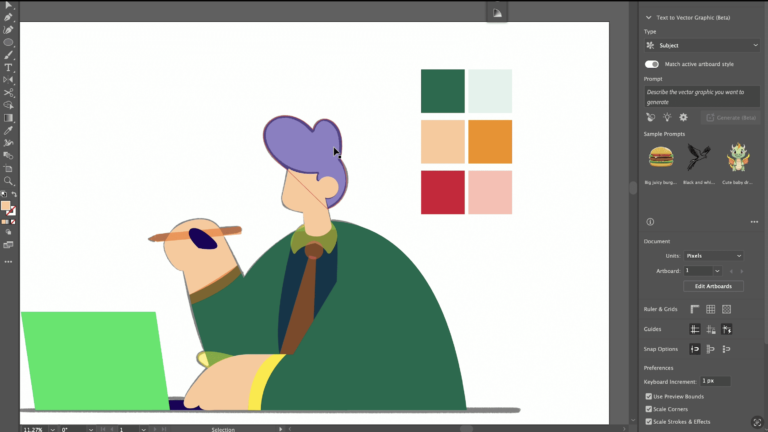
Simplifying vector illustrations is a crucial skill that enhances clarity and visual impact. Effective simplification allows designers to distill complex ideas into easily digestible visuals, ensuring that the message is conveyed without unnecessary embellishment. The following techniques focus on methods for simplifying designs while maintaining their essence and expressiveness.
Methods to Simplify Complex Designs
When it comes to simplifying intricate illustrations, several strategies can be employed. These methods not only reduce visual clutter but also enhance the overall effectiveness of the artwork.
- Identify Key Elements: Focus on the primary components of the design. Strip away any elements that do not contribute to the core message, ensuring that the essence of the illustration remains intact.
- Use Geometric Shapes: Simplifying forms into basic geometric shapes can create a cleaner look. For instance, transforming complex figures into circles, squares, or triangles can convey the same message with less complexity.
- Limit Color Palette: A restricted color scheme helps unify the design and can enhance visual impact. Using contrasting colors for primary elements draws attention while maintaining simplicity.
- Reduce Detail: Excessive detail can overwhelm viewers. Focus on the most important features and avoid intricate patterns that may detract from the overall message.
Common Mistakes to Avoid
While simplifying illustrations, there are pitfalls that can diminish the effectiveness of the design. Being aware of common mistakes can help ensure that the simplification process is successful.
- Over-Simplification: Removing too many elements can lead to a loss of the illustration’s intended meaning or context. It is essential to strike a balance between simplicity and expressiveness.
- Neglecting Composition: Simplification should not compromise the overall composition. Ensure that the layout remains balanced and visually appealing even after reducing elements.
- Ignoring Audience Perception: Designs must resonate with the target audience. Simplifying an illustration in a way that disconnects it from the audience’s understanding can hinder communication.
- Inconsistent Style: Maintain a consistent visual style throughout the illustration. Mixing different styles can confuse viewers and detract from the intended message.
Balance Between Simplicity and Expressiveness
Achieving a harmonious balance between simplicity and expressiveness is vital in vector illustrations. This balance ensures that while the design is clean and straightforward, it still evokes the desired emotional response.
- Emphasize Core Themes: Identify the main theme or emotion that the illustration should convey. Ensure that simplified elements still reflect this core idea.
- Utilize Negative Space: Employing negative space effectively can enhance the focus on key elements while simultaneously providing a clean and uncluttered look.
- Incorporate Hierarchical Design: Use visual hierarchy to guide the viewer’s eye. Strategically placing simplified elements can help maintain expressiveness while communicating the design’s message.
- Test and Iterate: Simplification is an iterative process. Testing different iterations with focus groups or peers can provide valuable insights into how the simplification affects perception and impact.
Color Selection and Application
Choosing the right colors is essential for creating bold and simple vector illustrations. The color palette not only influences the overall aesthetic but also affects the emotional response of the audience. A well-selected color scheme can enhance visual appeal, create a focal point, and establish a coherent design that resonates with viewers. This section delves into effective strategies for selecting colors and applying them in vector illustrations, along with examples of impactful color combinations.
Strategies for Selecting a Bold Color Palette
An effective color palette serves as the foundation for any striking vector illustration. Here are strategies to create a bold color palette:
1. Utilize Color Theory Principles
Understanding color theory can guide the selection process. The color wheel provides insights into complementary, analogous, and triadic color schemes that evoke different moods and harmonies.
2. Limit the Palette
Bold designs often benefit from a limited color palette. Using three to five colors maximizes impact while maintaining simplicity, allowing each color to stand out without overwhelming the viewer.
3. Incorporate High Contrast
Selecting colors that create strong contrast can enhance visibility and draw attention to key elements. High contrast also aids in the distinction between different components of the illustration.
4. Use Emotional Associations
Colors evoke emotions and associations. For instance, red can signify passion or urgency, while blue often conveys calmness and trust. Aligning color choices with the desired emotional response can strengthen the message of the illustration.
5. Consider Cultural Implications
Colors may have different meanings across cultures. Understanding the cultural context can inform appropriate color choices, ensuring the illustration communicates effectively with its intended audience.
Application of Gradients and Textures
Gradients and textures can significantly enhance the visual appeal of vector illustrations, adding depth and interest. Here are methods to effectively apply these elements:
Gradient Usage
Gradients can transition between colors smoothly, creating a sense of dimension. They can be applied to backgrounds, shapes, or even text, allowing for a layered effect. For instance, a radial gradient might be used to simulate light emanating from a focal point, while a linear gradient could create an illusion of depth in a landscape illustration.
Texture Application
Introducing textures can add a tactile quality to vector illustrations, making them more engaging. Textures can be created using patterns, overlays, or even brush strokes to enhance surfaces and create interest. For example, a textured background can complement flat illustrations, providing a contrast that draws attention to the primary design elements.
Examples of Effective Color Combinations
Implementing effective color combinations can elevate a simple design significantly. Here are examples of successful pairings:
Blue and Orange
A vivid orange paired with a deep blue creates a dynamic and energetic contrast, suitable for themes related to innovation and creativity.
Green and Yellow
This combination evokes freshness and vitality, making it ideal for eco-friendly or sustainable initiatives.
Black and White with a Splash of Color
A classic black and white design accented with a bright color, such as red or teal, can create a striking focal point that draws the viewer’s eye.
Purple and Gold
Combining a rich purple with a luxurious gold can convey elegance and sophistication, often used in designs related to high-end products or services.
In summary, the selection of colors and their application through gradients and textures can profoundly impact the effectiveness of vector illustrations. By following the strategies Artikeld above and exploring the suggested color combinations, designers can create visually compelling and bold works that resonate with their audience.
Creating Iconic Vector Illustrations
Iconic vector illustrations serve as powerful visual representations that convey complex ideas through simplicity and clarity. These illustrations are not merely decorative; they encapsulate the essence of a brand, product, or concept in a memorable fashion. The aim is to create visuals that resonate with the audience, ensuring that they are easily recognizable and impactful.
The characteristics of iconic vector illustrations lie in their ability to distill information into easily digestible forms, often employing a minimalistic design approach. Effective icons are defined by their clarity, scalability, and distinctiveness, making them versatile across various platforms and mediums. When designing memorable and effective icons, a set of guidelines should be considered to maximize their impact.
Characteristics of Iconic Vector Illustrations
The defining traits of iconic vector illustrations highlight their effectiveness and appeal. Understanding these characteristics is essential for any designer aiming to create compelling visuals. Key characteristics include:
- Minimalism: The design is stripped down to its essential elements, avoiding unnecessary details that can distract from the core message.
- Scalability: Iconic illustrations maintain their clarity and impact regardless of size, making them suitable for various applications, from business cards to billboards.
- Distinctiveness: Successful icons are unique and easily identifiable, ensuring they stand out in a crowded visual landscape.
- Relevance: The design should align with the intended message or concept, making the icon relatable to its target audience.
- Timelessness: Effective icons transcend trends, maintaining relevance over time and fostering brand recognition.
Guidelines for Designing Memorable Icons
When creating iconic vector illustrations, certain guidelines can enhance the likelihood of producing memorable designs. These include:
- Research and Inspiration: Investigate existing icons within the target industry to identify successful trends and gaps that your design can fill.
- Simplicity in Design: Focus on the essential shapes and colors that best communicate the intended message without overcomplication.
- Consistent Style: Ensure that the design aligns with the overall brand aesthetic, using a cohesive color palette and typography.
- User Feedback: Gather insights from potential users during the design process to refine and enhance the icon’s effectiveness.
- Color Psychology: Select colors that evoke the desired emotions and responses from the audience, reinforcing the icon’s message.
Examples of Successful Iconic Vector Illustrations
Numerous industries successfully employ iconic vector illustrations to enhance brand identity and convey messages. Notable examples include:
- Technology: Apple’s apple icon is a quintessential example of an iconic design that reflects innovation and simplicity, recognized worldwide.
- Social Media: The Twitter bird icon effectively symbolizes freedom and communication, establishing a strong identity for the platform.
- Food and Beverage: The Coca-Cola logo utilizes a simple script that has become synonymous with refreshment and enjoyment.
- Health: The Red Cross emblem is universally recognized as a symbol of humanitarian aid and health services, demonstrating the power of simplicity in conveying critical messages.
- Finance: The Mastercard logo uses overlapping circles to signify connection and partnership, effectively representing its services across the globe.
These examples illustrate how iconic vector illustrations can transcend language and culture, creating an immediate connection with audiences and enhancing brand recall. By adhering to the principles Artikeld, designers can create their own memorable icons that resonate deeply within their respective markets.
Exporting and Sharing Vector Illustrations
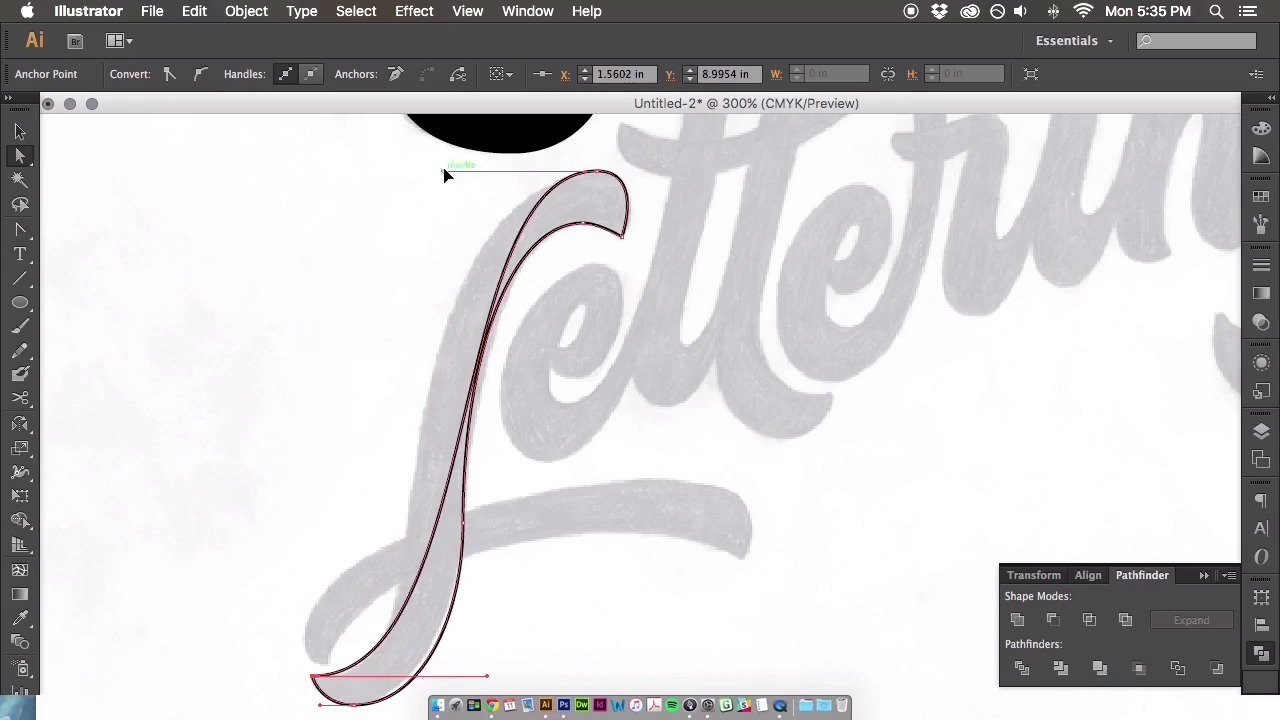
Exporting and sharing vector illustrations is a crucial phase in the design process, as it determines how your artwork will be perceived across various platforms. Properly exporting your designs ensures that they maintain quality and integrity, whether viewed on the web, in print, or across different devices. Understanding the nuances of file formats and best practices for exporting can significantly enhance the visibility and usability of your vector illustrations.
Best Practices for Exporting Vector Files
When preparing vector illustrations for export, it is essential to consider the final destination of your artwork. Different platforms may require specific formats and resolutions, influencing how your design is presented. Here are key practices to follow:
- Know Your Audience: Determine whether your illustrations will be used online or in print. This will guide your choice of resolution and file format.
- Use the Right File Format: Save files in formats that preserve vector data, such as .AI or .SVG for digital use, and .PDF for print applications.
- Maintain Layers: Keep layers intact when exporting to allow for easy editing in the future, especially in formats like .PSD.
- Adjust Artboard Size: Ensure the artboard is appropriately sized for the intended use to prevent cropping or scaling issues.
File Formats Available for Vector Illustrations
Understanding the various file formats available for vector illustrations is vital for effective exporting. Each format serves different purposes and offers unique features:
- SVG (Scalable Vector Graphics): Ideal for web use, this format allows for scalability without loss of quality and supports animation.
- AI (Adobe Illustrator): A native format for Adobe Illustrator that retains all editing capabilities and is useful for sharing among designers.
- EPS (Encapsulated PostScript): Commonly used in print media, EPS files are compatible with various graphic software and ideal for high-quality printing.
- PDF (Portable Document Format): Excellent for preserving design fidelity across platforms while also being print-ready.
Optimizing Illustrations for Web and Print Use
Optimizing your vector illustrations for both web and print applications enhances their usability and aesthetic quality. Different strategies are effective in ensuring your artwork looks its best in each context:
- Resolution Settings: For web, use a resolution of 72 DPI, while print requires at least 300 DPI to ensure clarity and detail.
- Color Profiles: Use RGB color profiles for web illustrations and CMYK for print to achieve accurate color representation in both mediums.
- File Size Management: Compress files without compromising quality to facilitate faster loading times on websites and easier sharing.
- Test on Multiple Devices: View your illustrations across different devices and screens to ensure consistent appearance and quality.
“A well-optimized vector illustration not only communicates effectively but also enhances user experience and engagement.”
Resources and Inspiration
In the realm of vector illustration, access to quality resources and inspiration can significantly enhance an artist’s skills and creativity. A variety of online platforms offer an array of tutorials, tools, and examples that cater to both budding and experienced illustrators. This section will highlight key resources for learning and showcasing vector illustrations.
Online Resources for Tutorials and Inspiration
Numerous websites and platforms cater to those seeking to improve their vector illustration skills or find inspiration from other artists. Below is a curated list of noteworthy resources that provide valuable tutorials, articles, and showcases:
- Behance: A platform where creatives showcase their work, offering a wealth of inspiration across various design fields, including vector illustration.
- Dribbble: A community for designers to share their work, which is particularly rich in innovative vector illustrations and user-generated tutorials.
- Adobe Creative Cloud Tutorials: Adobe offers a comprehensive library of video tutorials that cover essential vector illustration techniques and software usage.
- VectorTuts+: This site provides in-depth tutorials specifically focused on vector design, covering various tools and techniques.
- Skillshare: An online learning platform featuring courses by professional illustrators, where members can learn vector illustration at their own pace.
Platforms for Showcasing and Selling Vector Illustrations
For artists looking to monetize their skills, several platforms allow them to showcase and sell their vector illustrations. These platforms provide exposure to a larger audience, enabling artists to reach potential buyers and clients.
- Adobe Stock: Artists can upload their vector illustrations to Adobe Stock and earn royalties whenever their work is downloaded by users.
- Creative Market: A marketplace where designers can sell their vector graphics and illustrations directly to consumers.
- Shutterstock: A well-known stock image site where artists can submit their vector illustrations for licensing, gaining income per download.
- Design Cuts: A platform that supports designers by allowing them to sell their vector resources while also providing discounts on bundles for customers.
Well-Known Vector Artists and Their Contributions
The field of vector illustration is enriched by the contributions of several renowned artists, whose unique styles and innovative ideas have influenced many. Here are a few notable figures in the vector art community:
- Victo Ngai: An award-winning illustrator known for her intricate and vibrant vector illustrations, which often combine elements of culture and storytelling.
- Jessica Walsh: A designer and art director whose bold and colorful vector illustrations have gained significant acclaim, particularly in advertising and branding.
- Beeple: An influential digital artist recognized for his daily renders and contributions to the NFT space, showcasing the potential of vector art in modern digital culture.
- Malika Favre: Celebrated for her minimalist use of color and striking shapes, Favre has created memorable vector illustrations that have been featured in various high-profile publications.
Conclusive Thoughts
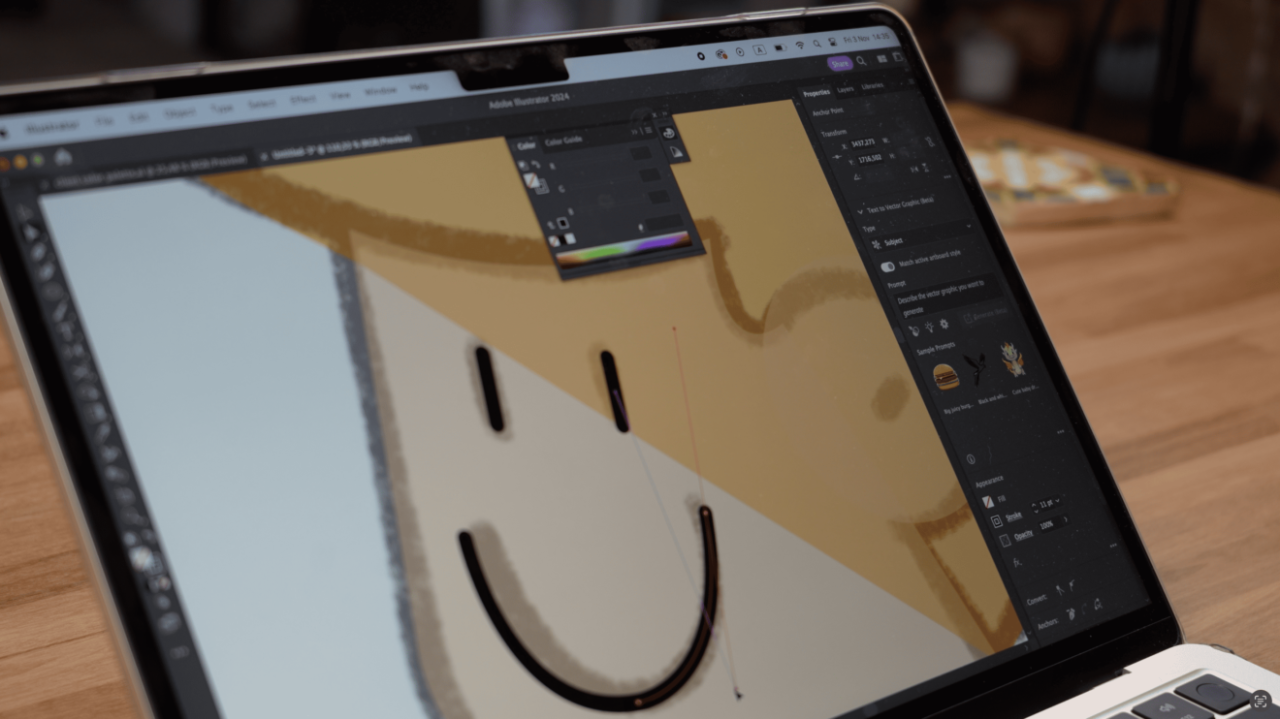
In conclusion, mastering the art of creating bold and simple vector illustrations can significantly elevate your design projects. By applying the principles discussed, utilizing the right tools, and embracing effective color strategies, you can craft illustrations that are not only visually striking but also resonate with your audience. As you embark on your creative journey, remember that inspiration is abundant, and the possibilities with vector graphics are limitless.