How to Create Thumbnails for Planning Your Art is a crucial skill for artists seeking to streamline their creative process. Thumbnails serve as a vital tool in visual communication, allowing artists to brainstorm and visualize their ideas efficiently. By employing thumbnails, you can enhance your planning stages, ensuring that your artistic vision is clearly articulated before embarking on the final artwork.
This exploration will guide you through the importance of thumbnails, the tools and techniques needed for their creation, and how to effectively integrate them into your artistic workflow. You’ll learn how to evaluate your thumbnails and iterate on your designs, making them an integral part of your art-making journey.
Understanding the Importance of Thumbnails
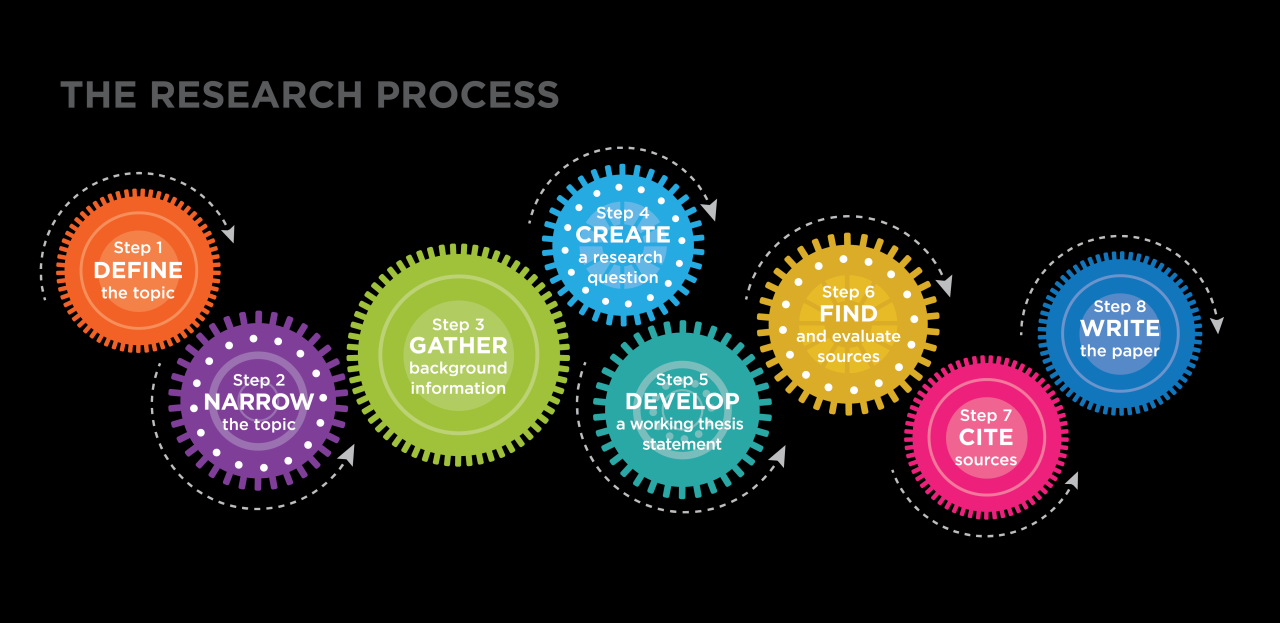
Thumbnails serve as an essential element in the art planning process, providing artists with a compact and preliminary visual representation of their ideas. These small sketches or digital representations lay the groundwork for more detailed work, allowing for exploration and adjustment before committing to a final piece. Thumbnails play a crucial role in enhancing visual communication by allowing artists to convey concepts quickly and effectively.
They serve as a visual shorthand that encapsulates the essence of an idea, enabling both the artist and their audience to grasp the core message without the need for extensive verbal descriptions.
Role of Thumbnails in the Art Planning Process
Thumbnails provide a structured way to explore multiple ideas and compositions in a condensed format. The following points highlight the benefits of incorporating thumbnails into the planning stage of artistic creation:
- Efficient Exploration: Thumbnails allow artists to quickly sketch multiple compositions, facilitating the exploration of various ideas without the commitment of extensive time and resources.
- Visual Hierarchy: By arranging elements within a thumbnail, artists can establish and experiment with visual hierarchy, determining the focal points and guiding the viewer’s eye.
- Problem Identification: Creating thumbnails can reveal potential issues early in the planning process, such as balance, proportion, and space management, allowing for necessary adjustments prior to larger-scale works.
Enhancement of Visual Communication
Thumbnails enhance the way artists communicate their concepts both to themselves and to others. Their succinct nature helps distill complex ideas into accessible visuals.
- Clear Concept Visualization: Thumbnails provide a clear snapshot of the artist’s vision, which can be particularly beneficial when collaborating with clients, colleagues, or audiences.
- Feedback Facilitation: Sharing thumbnails invites constructive feedback on initial concepts, helping refine ideas based on collective perspectives.
- Reduced Misinterpretation: By presenting visual ideas upfront, thumbnails minimize the risk of miscommunication and ensure all parties have a shared understanding of the project’s direction.
Benefits for Brainstorming and Idea Generation
The act of creating thumbnails not only serves as a planning tool but also significantly enhances brainstorming sessions.
- Idea Expansion: Thumbnails can spark new ideas during the creative process, as artists can build upon initial sketches to develop more elaborate concepts.
- Visual Memory Aid: The act of sketching reinforces memory, making it easier for artists to recall ideas that may have otherwise been forgotten.
- Encouragement of Experimentation: Thumbnails promote a mindset of experimentation, allowing artists to take risks in their ideas without fear of failure in a larger context.
Tools and Materials for Creating Thumbnails
Creating effective thumbnails is crucial for planning your art projects, as it allows artists to visualize ideas quickly and efficiently. To achieve optimal results, it is essential to utilize appropriate tools and materials tailored for thumbnail creation. The following sections will explore both traditional and digital mediums and recommend specific software suited for creating digital thumbnails.
Essential Tools for Creating Effective Thumbnails
Understanding the various tools available can significantly enhance the thumbnail creation process. Here is a list of essential tools that can help artists in crafting their thumbnails:
- Pencils and Sketchbooks: A reliable set of pencils along with a sketchbook is fundamental for traditional thumbnail creation, allowing for quick sketches and adjustments.
- Markers and Inks: These provide bold lines and vibrant colors, ideal for refining thumbnails and adding depth.
- Digital Tablet: A stylus-compatible tablet facilitates the drawing of thumbnails directly into digital software, promoting flexibility and ease of editing.
- Photo Reference Material: Collecting images that inspire the thumbnails can assist in maintaining accuracy and enhancing creativity.
Digital and Traditional Mediums for Thumbnail Creation
Artists can choose from various mediums when creating thumbnails based on their preferred techniques and comfort levels. Each medium has its unique advantages that cater to different artistic styles.
- Traditional Mediums: These include sketching with pencils, inks, or paints. Traditional methods allow for spontaneous creativity and tactile experience.
- Digital Mediums: Utilizing digital platforms offers convenience, allowing for easy revisions and experimentation with colors and compositions. Applications like Adobe Photoshop and Procreate enhance the creative process.
Recommended Software and Applications for Digital Thumbnails
In the digital realm, several software applications stand out for their features that cater specifically to thumbnail creation. Using the right tools can significantly streamline the process and inspire creativity.
- Adobe Photoshop: Renowned for its versatility, Photoshop provides a wide array of brushes, layers, and editing tools that facilitate detailed thumbnail design.
- Procreate: This app is popular among digital artists for its user-friendly interface and comprehensive brush library, making it perfect for quick thumbnail sketches on iPads.
- Clip Studio Paint: Ideal for comic artists, Clip Studio Paint offers excellent features for creating detailed thumbnails while providing vector support.
- Sketchbook: Autodesk’s Sketchbook is a powerful drawing tool that is both intuitive and functional, recommended for artists seeking to create thumbnails on-the-go.
“The right tools can transform your artistic vision into reality, enabling creativity to flow seamlessly.”
Techniques for Thumbnail Design
Creating effective thumbnails is a crucial step in the artistic process, providing a visual representation of concepts and ideas that may later develop into larger works. Thumbnails serve as a preliminary exploration of composition, layout, and artistic style, enabling artists to experiment and iterate before committing to final pieces. Understanding the techniques involved in thumbnail design can greatly enhance the planning phase of your art.To design engaging and informative thumbnails, artists can employ a variety of techniques that encompass sketching, stylistic choices, and color theory.
These methods not only facilitate the visualization of ideas but also promote a deeper understanding of composition and visual storytelling.
Step-by-Step Methods for Creating Sketches and Basic Layouts
The process of creating thumbnails begins with sketching and establishing basic layouts that convey the intended message. This stage is essential for organizing visual ideas effectively. The following steps can guide artists in producing meaningful thumbnails:
1. Gather Inspiration
Before sketching, collect references from existing artworks, photographs, or nature to spark creativity.
2. Define the Concept
Clearly Artikel the main idea or theme you wish to portray in your thumbnail.
3. Select Format
Choose the size and orientation for your thumbnail. Common formats include square, landscape, or portrait.
4. Draw Basic Shapes
Start with simple shapes to establish the composition. Use geometric forms to represent major elements in the artwork.
5. Refine the Layout
Add details to the basic shapes, adjusting the placement and size of elements to improve balance and focus.
6. Iterate Quickly
Create multiple versions of the thumbnail to explore various compositions and arrangements without overthinking each iteration.Using this step-by-step method, artists can create a series of sketches that effectively capture their visual ideas, leading to more developed artworks.
Artistic Styles Employed in Thumbnails
Thumbnails can embrace various artistic styles that reflect the artist’s vision and the mood of the final piece. Employing different styles can help convey distinct emotions and themes. Below are some artistic styles commonly used in thumbnail design:
Realism
This style focuses on accurately representing subjects and creates lifelike thumbnails that can serve as detailed studies for future works.
Abstract
By using shapes and colors to represent ideas rather than depict realistic forms, abstract thumbnails allow artists to express concepts freely and creatively.
Expressionism
This style emphasizes emotional experience, often using bold colors and dramatic forms to evoke specific feelings in the viewer.
Minimalism
Simplifying forms and reducing detail can create impactful thumbnails that communicate ideas with clarity and precision.By utilizing these diverse styles in thumbnail design, artists can experiment with storytelling and visual impact, ultimately enriching their artistic practice.
Use of Color and Composition in Thumbnail Design
Color and composition play vital roles in the effectiveness of thumbnails, directly influencing the viewer’s perception and engagement. Understanding how to use these elements judiciously can greatly enhance the appeal of your thumbnail designs.Effective color usage in thumbnails can convey mood and tone. Here are some key considerations:
Color Theory
Familiarize yourself with the color wheel and relationships between colors, such as complementary and analogous schemes, to create harmonious or contrasting palettes.
Emotional Impact
Different colors evoke various emotions; for instance, warm colors (reds, oranges) can create excitement, while cool colors (blues, greens) can induce calmness. Select colors that align with the intended message of the artwork.
Limited Palette
Utilizing a restricted color palette can help to maintain focus and clarity in a thumbnail, making the design more cohesive and easier to understand.In terms of composition, consider the following principles:
Rule of Thirds
Dividing the thumbnail into a 3×3 grid can guide the placement of focal points, creating a more balanced and visually appealing layout.
Leading Lines
Use lines within the composition to guide the viewer’s eye toward the main subject, enhancing the overall flow of the thumbnail.
Contrast
Employing contrasting elements—whether through color, size, or shape—can help differentiate key components and create a dynamic visual interest.By thoughtfully integrating color and compositional techniques, artists can produce compelling thumbnails that effectively communicate their artistic vision, paving the way for successful final pieces.
Organizing Your Thumbnail Process
Organizing your thumbnail creation process is essential for maximizing efficiency and creativity in your art projects. A well-structured approach allows artists to generate ideas systematically, ensuring that no creative potential is left untapped. This section will guide you through a checklist for planning your thumbnail sessions, methods for categorizing your thumbnails, and tips for effective time management during the design phase.
Checklist for Planning Thumbnail Creation Sessions
Creating a checklist is fundamental for ensuring that your thumbnail creation sessions are productive. A checklist not only serves as a reminder of what to prepare but also helps to keep you focused on your goals. Here is a suggested checklist for your thumbnail sessions:
- Define the project or theme for which you need thumbnails.
- Gather all necessary tools and materials, including sketchbooks, pencils, or digital devices.
- Set a specific time and duration for your thumbnail creation session.
- Create a comfortable and inspiring workspace that fosters creativity.
- Prepare reference materials or inspiration boards related to the project.
- Artikel the goals of the thumbnails, including key elements you want to explore.
Categorizing Thumbnails for Different Projects or Themes
Organizing thumbnails according to various projects or themes enhances clarity and accessibility. By creating distinct categories, you can easily refer back to previous designs and concepts. Here are some effective methods for categorizing your thumbnails:
- Thematic Categories: Group thumbnails based on overarching themes such as nature, fantasy, or urban landscapes.
- Project-Based Categories: Divide thumbnails according to specific projects, allowing for focused exploration of ideas related to that particular work.
- Style or Technique Categories: Separate thumbnails by styles, such as realism, abstraction, or impressionism, to facilitate experimentation with different approaches.
- Color Palette Categories: Organize thumbnails based on predominant color schemes to help in visualizing color relationships and harmony.
Time Management Tips During Thumbnail Design Phase
Effective time management during the thumbnail design phase is crucial for maintaining momentum and ensuring productive output. Here are several strategies to help you manage your time wisely:
- Set specific time limits for each thumbnail to encourage quick thinking and decision-making.
- Use a timer to allocate focused work sessions followed by short breaks; this technique helps maintain concentration and prevents burnout.
- Prioritize thumbnails based on their importance to the project; tackle more complex ideas when your energy is highest.
- Eliminate distractions in your workspace to enhance focus and efficiency; consider silencing notifications on your devices.
- Reflect on your progress after each session, adjusting your plans as necessary to stay aligned with your creative goals.
Effective organization and time management are key to unlocking your creative potential and ensuring a productive thumbnail design process.
Evaluating and Iterating on Thumbnails

Evaluating and iterating on thumbnails is a critical phase in the creative process that allows artists to refine their ideas and improve the overall quality of their work. By assessing your thumbnails, you can identify strengths and weaknesses, ensuring that your artistic vision is effectively communicated. This segment will explore methods for self-critique, gathering peer feedback, and strategies for improving your thumbnails based on evaluations.
Methods for Self-Critique of Thumbnails
Self-critique is an essential skill that enables artists to develop a keen eye for their own work. By systematically analyzing your thumbnails, you can gain valuable insights into composition, color, and thematic elements. Employ the following methods to conduct effective self-critique:
- Distance Viewing: Step back from your thumbnails to gain a broader perspective. This distance allows you to assess overall composition and balance without getting lost in the details.
- Check Against Objectives: Refer back to your initial goals or themes set for the project. Evaluate whether the thumbnails align with these objectives and convey the intended message.
- Use a Grayscale Filter: Viewing your thumbnails in grayscale can help isolate values and contrast, making it easier to spot issues related to light and dark elements.
- Time Gap: Allow some time to pass before reviewing your thumbnails again. This break can provide a fresh perspective and reveal aspects that may have been overlooked initially.
Gathering Feedback from Peers on Thumbnail Designs
Engaging with peers for feedback can be instrumental in enhancing your thumbnail designs. Constructive criticism offers diverse viewpoints that can uncover areas for improvement. Here are effective strategies to gather feedback:
- Formal Critique Sessions: Organize dedicated sessions where you present your thumbnails to a group, focusing on specific elements or areas where you seek feedback.
- Online Forums and Communities: Use platforms such as art forums or social media groups to share your thumbnails. Encourage honest critiques and suggestions from a wider audience.
- Peer Review Pairs: Partner with fellow artists to exchange feedback on each other’s thumbnails. This method fosters a more personalized critique and enhances trust in the feedback process.
Strategies for Refining and Improving Thumbnails Based on Evaluations
Once you have gathered feedback and conducted self-evaluations, the next step is to refine and improve your thumbnails. This iterative process is crucial for developing a strong visual foundation. Consider the following strategies:
- Prioritize Feedback: Analyze the feedback received and prioritize the most relevant suggestions. Focus on the aspects that have the greatest impact on your thumbnail’s effectiveness.
- Experiment with Variations: Create multiple variations of a thumbnail based on feedback. This experimentation allows you to explore different directions and find the most compelling option.
- Document Changes: Keep a record of the changes made to each thumbnail iteration. This practice helps you track your progress and understand which modifications lead to improvements.
- Seek Further Input: After making refinements, present the updated thumbnails to peers again for additional feedback. This ongoing process ensures that your designs continually evolve.
“The key to great art is not merely in the execution, but in the willingness to evaluate and adapt.”
Integrating Thumbnails into Your Art Workflow
Incorporating thumbnails into your art process can significantly enhance your productivity and creativity. Thumbnails serve as a preliminary visualization tool, allowing artists to explore and refine ideas before committing to a more detailed execution. By establishing a systematic approach to integrating thumbnails into your workflow, you can streamline your artistic process and make more informed decisions in your artwork.
Organizing a Schedule for Incorporating Thumbnails
Establishing a consistent schedule for creating thumbnails is essential for integrating them into your overall art workflow. This scheduling can take various forms, depending on your specific artistic practices, deadlines, and creative aspirations. Here are key considerations to help you effectively manage your thumbnail creation:
- Set aside dedicated time: Allocate specific time slots in your weekly schedule solely for thumbnail creation. This could be a few hours each week dedicated to brainstorming and exploring ideas.
- Align with project timelines: Create thumbnails at the onset of new projects to ensure you are visually aligning your concepts with the project’s objectives and deadlines.
- Daily sketch practice: Incorporate a short, daily thumbnail sketching session to develop the habit of visual exploration, which will ultimately enrich your overall artistic repertoire.
Examples of Thumbnails Informing Final Artwork Decisions
Thumbnails play a critical role in guiding decisions that shape the final artwork. The visual information captured in thumbnails can inform various aspects of your piece, such as composition, color schemes, and overall theme. Here are notable examples illustrating how thumbnails can influence final decisions:
- Composition choices: A thumbnail may reveal that a particular composition feels unbalanced or crowded. By adjusting elements within the thumbnail, you can ensure a more harmonious layout in your final piece.
- Color exploration: Using thumbnails to experiment with different color palettes allows you to determine which color combinations evoke the desired emotional response, ensuring that your final artwork resonates with the audience.
- Theme development: Thumbnails can serve as a platform for exploring variations of a theme or subject matter. This exploration enables you to refine your focus, leading to a well-defined final piece that communicates your artistic intent effectively.
Maintaining a Portfolio of Thumbnails for Future Reference
Creating and maintaining a portfolio of thumbnails is a valuable practice that provides insight into your artistic journey and decision-making processes. A well-organized thumbnail portfolio can serve as a resource for future projects and artistic exploration. Here are effective strategies for maintaining your thumbnail portfolio:
- Digital archiving: Scan or photograph your physical thumbnails and organize them in a digital format, labeled by date or project. This allows for easy retrieval and reference.
- Sketchbook system: Utilize a dedicated sketchbook for thumbnails, categorizing them by subject matter or style. This method not only maintains organization but also presents a tangible record of your creative evolution.
- Review and reflect: Regularly revisit your thumbnail portfolio to reflect on your growth as an artist, identify recurring themes, and inspire new ideas for future projects.
Maintaining a portfolio of thumbnails not only aids in future projects but also serves as a visual diary of your artistic development.
Case Studies of Successful Thumbnail Use

The process of creating thumbnails has been pivotal for many renowned artists, serving as an essential step in their artistic workflow. Thumbnails allow artists to explore ideas quickly and establish foundational compositions without the demand of a fully realized artwork. This section highlights notable artists and how their thumbnail processes have shaped some of their most significant creations.
Famous Artists and Their Thumbnail Creation Processes
Several distinguished artists are known for their effective use of thumbnails, showcasing varying methods to generate ideas and compositions. Their experiences offer valuable insights into the significance of this practice.
- Pablo Picasso: Picasso utilized thumbnails extensively in the development of his innovative styles. His small sketches often served as a springboard for larger works, allowing him to experiment with form and color. A striking example is his “Guernica,” which evolved from numerous preparatory sketches that captured the emotional turmoil of the subject.
- John Singer Sargent: Sargent’s thumbnails were integral to his oil paintings and portraits. He would create quick studies in charcoal and watercolor, capturing essential elements of light and form. One notable example is his portrait of “Madame X,” where his thumbnail studies helped refine the figure’s pose and attire before committing to the final canvas.
- Leonardo da Vinci: Da Vinci’s sketches are legendary, often serving as both scientific studies and artistic explorations. His thumbnails are seen in works like “The Last Supper,” where he meticulously planned the layout and interactions of figures through small, detailed sketches that conveyed the narrative dynamics.
Notable Artworks Originating from Effective Thumbnail Design
The transition from thumbnail to finished artwork illustrates the power of preliminary sketches in capturing the essence of a concept. Notable artworks have emerged from carefully crafted thumbnails, demonstrating the effectiveness of this technique.
- “The Scream” by Edvard Munch: Munch’s iconic expressionist painting originated from a series of small sketches. His thumbnails allowed him to explore the haunting composition and emotive colors, ultimately culminating in a piece that resonates universally.
- “Starry Night” by Vincent van Gogh: Van Gogh created several small sketches and color studies before painting “Starry Night.” These thumbnails were essential in determining the swirling clouds and the vibrant palette that characterizes the masterpiece.
- “The Night Watch” by Rembrandt: Rembrandt’s preparatory sketches for “The Night Watch” illustrated dynamic poses and group arrangements. His effective use of thumbnails played a crucial role in orchestrating the interplay of light and shadow, enhancing the dramatic impact of the final painting.
Comparative Approaches to Thumbnail Design
Artists across different eras and styles employ distinct approaches to thumbnail creation, influenced by their artistic goals and methodologies.
- Loose and Fluid Approach: Contemporary artists like David Hockney favor a more spontaneous technique, utilizing digital tools to create quick digital thumbnails. This method allows for instant adjustments and experimentation with composition and color.
- Structured and Analytical Approach: Classical artists such as Claude Monet often employed a more rigid structure, meticulously planning their thumbnails to capture natural light and movement in their landscape paintings. Monet’s small color studies paved the way for the brilliance of his larger pieces, like “Impression, Sunrise.”
- Conceptual Approach: Concept artists in the film and gaming industries, such as Syd Mead, use thumbnails to explore vast worlds and characters. Their emphasis on storytelling through visual elements often leads to rapid prototyping of environments and character designs, showcasing the versatility of thumbnails in various artistic fields.
Advanced Thumbnail Techniques for Complex Projects
In the realm of artistic creation, thumbnails serve as a pivotal tool for visualizing complex projects. Particularly when dealing with multi-panel compositions and narrative art, advanced techniques can greatly enhance the planning and execution of your visions. This segment delves into sophisticated methods for creating effective thumbnails, emphasizing their role in organizing complex artistic ideas.
Creating Thumbnails for Multi-Panel Compositions
When generating thumbnails for multi-panel compositions, it is essential to focus on the overall flow and cohesion of the narrative across the panels. This process involves breaking down the composition into manageable segments, enabling artists to visualize how each panel interacts with one another. The following methods can be employed:
Grid Layouts
Utilizing a grid can help in organizing panels systematically. Artists can sketch small rectangles that represent each panel, maintaining consistent proportions and spacing. This aids in visualizing the overall narrative arc and pacing.
Thumbnail Storyboards
Artists can develop a series of small thumbnails that represent key moments or transitions within the narrative. These quick sketches allow for a broad overview while enabling adjustments to the storyline as needed.
Dynamic Perspective Studies
Exploring various perspectives within each thumbnail can enhance the visual dynamism of the composition. Artists should experiment with angles, framing, and character placement to determine the most impactful way to convey action or emotion.
“A well-structured thumbnail serves not just as a visual guide but also as a blueprint for emotional resonance and storytelling.”
Using Storyboarding as a Thumbnail Technique for Narrative Art
Storyboarding acts as an essential thumbnail technique for artists working on narrative art. By laying out scenes in sequence, artists can create a visual narrative that is both coherent and compelling. Key components of effective storyboarding include:
Scene Breakdown
Each scene should be represented through a thumbnail that encapsulates the pivotal actions or emotions. This approach helps in recognizing the flow of the story and ensures that critical moments are captured.
Character and Setting Integration
Thumbnails should also include indications of character placement and setting details. This provides a clearer understanding of how scenes relate to the characters’ arcs and environments.
Timing and Pacing
Storyboarding allows for the exploration of timing in visual storytelling. Artists can visually assess how long each scene will take, encouraging the refinement of pacing to enhance narrative impact.
Advanced Digital Techniques for Creating Dynamic and Interactive Thumbnails
The advent of digital tools has transformed the creation of thumbnails, allowing for advanced techniques that can enhance the dynamism and interactivity of the planning process. These techniques include:
Layering and Transparency
Digital platforms enable artists to work with layers, allowing for adjustments without permanently altering the original thumbnail. This facilitates experimentation with different colors, compositions, and effects without the risk of losing valuable insights.
Animation Previews
Some digital tools offer the option to create simple animations from thumbnails, providing a rough preview of how elements will move or transition. This interactive aspect can be invaluable for narrative art, helping to visualize timing and flow.
Interactive Feedback Tools
Utilizing applications that allow for feedback and collaboration can enhance the thumbnail process. Artists can share their designs with peers for constructive criticism, fostering an environment of growth and creativity.By leveraging these advanced techniques, artists can create more sophisticated and effective thumbnails that serve as a solid foundation for complex projects. Understanding and utilizing these methods not only refines the artistic workflow but also elevates the quality of the final artwork.
Summary
In conclusion, mastering the art of thumbnail creation can significantly improve your planning and execution of artworks. By utilizing the techniques discussed, you will not only enhance your visual communication skills but also foster a more organized and efficient creative process. Remember, thumbnails are not just simple sketches; they are the blueprint of your artistic expression, paving the way for successful and impactful final pieces.