How to Design Your Own Phone Wallpaper invites you into the vibrant realm of personalized digital art, where your creativity knows no bounds. Custom wallpapers not only allow you to express your individuality but also enhance your device’s aesthetic appeal, making it truly yours. In this guide, we will explore essential aspects of wallpaper design, from understanding dimensions and themes to utilizing various tools and software, ensuring that your design journey is both informative and enjoyable.
As we delve deeper, you’ll discover effective design principles that elevate your creations, learn how to integrate personal touches, and optimize your wallpapers for different devices. Furthermore, we will cover how to share your artwork with the world and examine the latest trends influencing mobile wallpaper designs.
Understanding Phone Wallpaper Design
Personalized phone wallpapers play a crucial role in enhancing the aesthetic appeal of mobile devices while allowing users to express their individuality. A well-designed wallpaper can transform the ordinary screen of a phone into a canvas that reflects personal tastes, interests, and moods. This customization not only adds a touch of personality but can also enhance the user experience by making the device feel more like one’s own.To effectively create a phone wallpaper, it is essential to consider the dimensions and resolutions that correspond with different devices.
The common resolutions for phone wallpapers vary depending on the device model, but a few standard sizes include:
- 720 x 1280 pixels – Suitable for most mid-range smartphones.
- 1080 x 1920 pixels – Ideal for full HD displays.
- 1440 x 2560 pixels – Perfect for high-resolution screens, commonly found in premium smartphones.
- 1125 x 2436 pixels – Specifically designed for iPhone X and later models.
- 1242 x 2688 pixels – Meant for iPhone XS Max and similar models.
Understanding these dimensions ensures that the wallpaper fits perfectly on the screen without being pixelated or stretched.When selecting themes and styles for phone wallpapers, it is beneficial to consider popular trends that resonate with users. This selection can significantly impact the visual appeal and emotional connection users have with their devices. Common themes include:
Popular Themes and Styles for Phone Wallpapers
A variety of themes and styles are available, allowing users to choose wallpapers that reflect their preferences and interests. The following points highlight some of the most favored categories:
- Nature and Landscapes: Images featuring scenic landscapes, breathtaking mountains, and serene forests are always in demand, providing a sense of calm.
- Abstract Art: Colorful and creative designs can evoke emotions and inspire creativity, making them a popular choice for modern users.
- Minimalism: Simple and clean designs appeal to those who appreciate clarity and focus, often featuring monochromatic color palettes.
- Pop Culture: Wallpapers inspired by movies, music, and celebrities resonate with fans and allow them to showcase their interests.
- Quotes and Typography: Inspirational quotes and artistic fonts can motivate and uplift, serving as daily reminders of positivity.
Incorporating these themes not only enhances the aesthetic value but also fosters a personal connection between the user and their device.
“Personalized wallpapers are not just decorative; they are a form of self-expression.”
Tools and Software for Wallpaper Creation
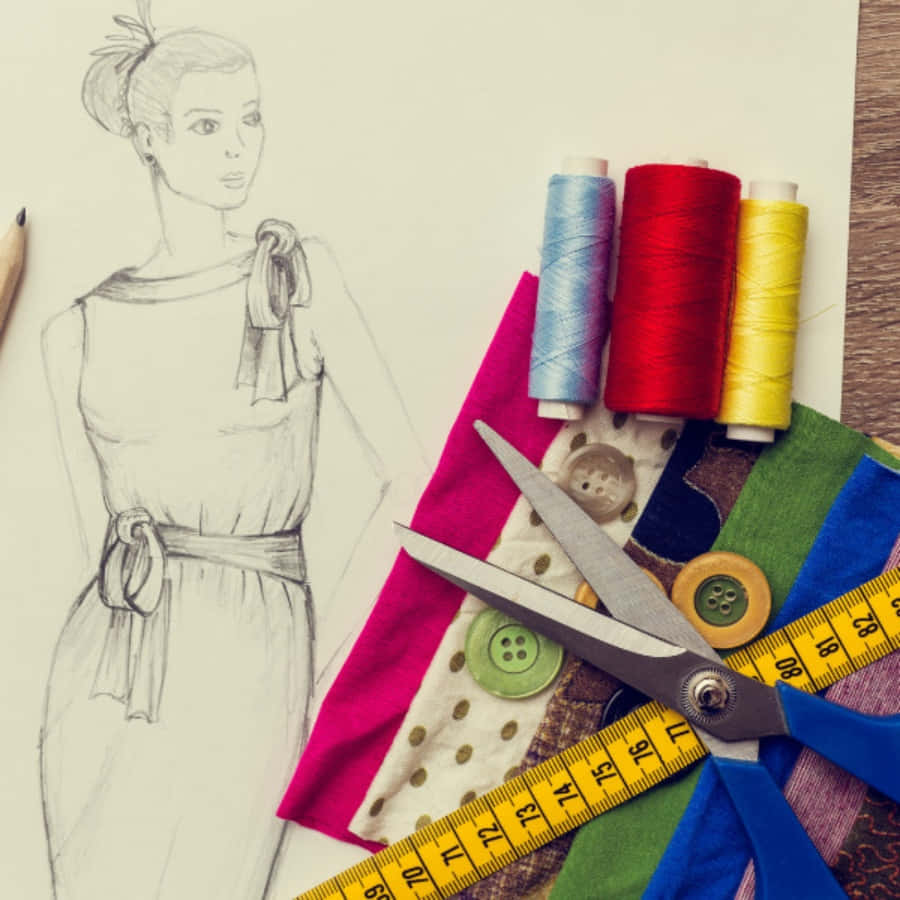
Creating your own phone wallpaper requires an understanding of various tools and software that can facilitate the design process. With the right graphic design tools at your disposal, you can enhance your creative expression and produce stunning wallpapers tailored to your preferences. In this section, we will explore a selection of graphic design tools, delve into the specifics of one popular software, and compare the features and usability of free versus paid options.
Graphic Design Tools for Wallpaper Creation
A variety of graphic design tools are available, each offering unique features that cater to different levels of expertise and design requirements. Below is a list of noteworthy tools that can aid in the creation of custom phone wallpapers:
- Adobe Photoshop: A professional-grade software that provides extensive features for photo editing and graphic design. Ideal for advanced users looking for precision.
- Canva: A user-friendly online platform with a wide range of templates and design elements, suitable for beginners and casual users.
- GIMP: A powerful open-source alternative to Photoshop, offering comprehensive editing tools for those seeking free software.
- Affinity Designer: A cost-effective choice for vector graphics and illustrations, appealing to both professionals and hobbyists.
- Procreate: A popular iPad app for digital painting and illustration, favored by artists for its intuitive interface and robust brush options.
The range of tools mentioned allows users to create wallpapers with varying degrees of complexity, accommodating both novice and expert designers.
Using Adobe Photoshop for Wallpaper Design
Adobe Photoshop is a premier choice for graphic designers due to its versatile capabilities and extensive feature set. The following steps Artikel the process of designing a wallpaper within Photoshop:
1. Setting Up the Canvas
Open Photoshop and create a new document. Set the dimensions according to your phone’s screen resolution, typically in pixels (e.g., 1080 x 1920 for Full HD).
2. Background Layer
Choose a background color or import an image as the base layer. Use the ‘Fill’ tool or ‘Gradient’ tool to create visually appealing backgrounds.
3. Adding Elements
Utilize the ‘Text’ tool to add quotes or messages. You can import images or use custom brushes to add artistic elements.
4. Layer Management
Make use of layers to organize different design components. This allows for easy adjustments and modifications without affecting the entire design.
5. Final Touches
Apply filters or adjustments to enhance the overall look. Check the image resolution to ensure high quality when saving the final product.
6. Exporting
Save your design in a compatible format, such as PNG or JPEG, ensuring it maintains high quality for optimal display on mobile devices.The versatility of Photoshop makes it an excellent tool for creating detailed and professional-looking wallpapers.
Comparison of Free vs. Paid Tools for Wallpaper Creation
When deciding between free and paid graphic design tools for wallpaper creation, it’s essential to consider features, usability, and overall value. Below is a comparative analysis:
- Features: Paid tools, such as Adobe Photoshop and Affinity Designer, offer advanced features including sophisticated editing capabilities, extensive asset libraries, and customer support. Free tools, like GIMP, provide a robust set of features, but may lack the polish and support found in paid software.
- Usability: Paid tools generally have more user-friendly interfaces and better tutorials, making it easier for beginners to learn and navigate. Free tools may have a steeper learning curve due to their higher complexity.
- Updates and Support: Paid software often includes regular updates, enhanced security, and customer support. Free tools may be subject to less frequent updates and limited community support.
In summary, while free tools can be excellent for beginners or those on a budget, paid tools provide more comprehensive features and support, making them ideal for serious designers looking to create custom wallpapers efficiently and effectively.
Design Principles for Effective Wallpapers
Creating a visually appealing wallpaper is not merely a matter of aesthetics; it requires a comprehensive understanding of design principles. These principles guide the choice of colors, layout, composition, and the effective use of textures and patterns, all of which contribute to the overall impact of the wallpaper. The following sections will elucidate key components of effective wallpaper design.
Color Theory in Wallpaper Design
Color theory is a fundamental aspect of design that influences mood and perception. The application of color in wallpaper design can significantly affect the ambiance of a space. Understanding color relationships, such as complementary, analogous, and triadic schemes, allows designers to create harmonious and visually compelling wallpapers.
- Complementary Colors: Colors opposite each other on the color wheel, such as blue and orange, create contrast and energy. This can be effective for wallpapers aimed at vibrant spaces.
- Analogous Colors: Colors that are next to each other on the wheel, like blue, teal, and green, provide a soothing effect, ideal for relaxation areas.
- Triadic Colors: A set of three colors that are evenly spaced on the color wheel. For instance, red, yellow, and blue can create a balanced yet dynamic design.
Color psychology also plays a role; for example, blues and greens evoke calmness, while reds and yellows can energize a room. Designers should consider the emotional response elicited by color choices when creating wallpapers.
Significance of Layout and Composition
The layout and composition of wallpaper are crucial in guiding the viewer’s eye and creating a cohesive design. Effective composition involves organizing visual elements to achieve balance, focus, and harmony.
- Balance: Achieving visual balance can be symmetrical or asymmetrical. Symmetrical layouts create a sense of formality, while asymmetrical designs often feel more dynamic and organic.
- Focal Point: Establishing a focal point directs attention to a specific area of the wallpaper. This can be achieved through contrasting colors, bold patterns, or prominent images.
- Whitespace: Incorporating whitespace allows the design to breathe, preventing overcrowding. This is particularly important in wallpapers to maintain clarity.
A well-composed wallpaper not only enhances aesthetic appeal but also complements the functionality of the space it occupies.
Incorporation of Texture and Patterns
Texture and patterns add depth and interest to wallpaper designs. They can transform a flat surface into a multi-dimensional experience, making the wallpaper visually engaging.
- Texture: Textural elements can be simulated through visual design, creating an illusion of depth. For example, a wallpaper that mimics the look of wood grain or fabric can enhance the tactile experience of a room.
- Patterns: Repeating patterns can create rhythm and unity in design. Geometric patterns offer a modern look, while floral and organic patterns may evoke a more traditional feel.
- Scale: The scale of patterns must be considered in relation to the size of the wall and the space. Large patterns can make a bold statement, while small patterns may create subtler effects.
The successful integration of texture and patterns results in a wallpaper that not only draws attention but also adds character to the environment, ultimately enhancing user experience.
Creating Custom Wallpapers
Creating custom wallpapers allows individuals to express their personality and creativity while personalizing their devices. This process not only enhances the aesthetic appeal of the phone but also provides a sense of ownership. By following a systematic approach, one can design unique wallpapers tailored to personal preferences.To create a wallpaper from scratch, a well-defined process is essential. Below is a step-by-step guide to assist in developing a compelling phone wallpaper design:
Step-by-Step Guide for Creating a Wallpaper
The following steps Artikel the essential components in the creation process, ensuring a seamless transition from concept to completion.
- Choose a Theme: Decide on a central theme that resonates with your personality or mood. This could range from nature and abstract art to minimalistic designs.
- Select Dimensions: Set the dimensions according to your device’s screen size. Common dimensions include 1080×1920 pixels for most smartphones and 1440×2560 pixels for higher-resolution screens.
- Open Design Software: Utilize graphic design software such as Adobe Photoshop, Canva, or GIMP. These tools provide a range of features to create high-quality graphics.
- Create a Background: Begin by creating a background layer. This may include solid colors, gradients, or patterns that complement your chosen theme.
- Add Elements: Incorporate various design elements such as shapes, lines, and textures that enhance the visual appeal of the wallpaper.
- Integrate Text: If desired, include inspirational quotes or personal phrases. Choose a font that aligns with the overall design aesthetic.
- Incorporate Personal Images: Personalize your design by integrating your own photos or artwork. Ensure these images are high-resolution to maintain quality when scaled.
- Finalize Design: Review the overall composition and make necessary adjustments to colors, contrast, and layout. This step is crucial for achieving a balanced design.
- Export File: Save your design in a suitable format, such as PNG or JPEG, ensuring that the resolution is appropriate for your device.
Examples of Templates for Personal Use
Utilizing templates can streamline the design process, providing a solid foundation on which to build your wallpaper. Below are examples of adaptable templates:
- Nature-Themed Template: A serene background featuring mountains and forests that can be customized with personal images or quotes.
- Geometric Shapes Template: A minimalist design with overlapping geometric shapes that can be colored and arranged to fit personal style.
- Abstract Art Template: An artistic layout with vibrant colors and fluid shapes, ideal for incorporating personal artwork or photography.
Methods for Integrating Personal Photos or Artwork into Wallpaper Designs
Incorporating personal images into wallpaper designs can enhance their uniqueness and emotional value. Below are methods to effectively blend personal photos or artwork into your design:
- Layering Techniques: Use layers to place your personal images within the design. Adjust the opacity or blend modes to seamlessly integrate them into the background.
- Masking: Utilize masking tools to create complex shapes or Artikels around your images, allowing for creative blending with the background.
- Image Filters: Apply filters to personal images to match the overall color palette or style of the wallpaper, ensuring a cohesive design.
- Resizing and Cropping: Resize or crop personal images to fit the layout of the wallpaper while ensuring key elements remain visible and impactful.
Integrating personal photos not only personalizes the wallpaper but also creates a memorable visual experience, transforming a simple design into a meaningful expression of individuality.
Optimizing Wallpapers for Different Devices
To effectively create wallpapers that suit various phone models, it’s essential to understand the importance of optimizing wallpaper size and ensuring compatibility across devices. Each mobile device has distinct screen resolutions and aspect ratios, which can significantly affect how your wallpaper appears. By following specific guidelines, you can create visually appealing wallpapers that enhance the user experience on any device.
Adjusting Wallpaper Size for Various Phone Models
Different phone models come with varying screen dimensions. Adapting your wallpaper to these specifications ensures that it displays correctly without stretching or cropping. The most common resolutions include:
- iPhone 13 Pro: 1170 x 2532 pixels
- Samsung Galaxy S21: 1080 x 2400 pixels
- Google Pixel 6: 1080 x 2400 pixels
- OnePlus 9: 1080 x 2400 pixels
To adjust the wallpaper size, consider the following methods:
Use graphic design software to set the canvas size according to the target device resolution.
The process may involve cropping or resizing images while maintaining the aspect ratio to prevent distortion. A good practice is to create wallpapers in multiple resolutions to accommodate different screens.
Testing Wallpapers on Multiple Devices for Compatibility
After designing your wallpapers, it is crucial to test their appearance across various devices. This ensures that the wallpaper looks good on screens of different sizes and resolutions. Testing can be performed through:
- Physical Devices: Use actual smartphones with different specifications.
- Emulators: Utilize software that simulates different phone models and sizes.
- Remote Testing Tools: Leverage platforms that allow for testing on cloud devices.
Each of these methods provides valuable insights into how the wallpaper appears in real-world settings. Ensure to check for quality, clarity, and any potential issues that may arise from the design.
Ensuring Wallpapers Display Correctly Without Distortion
To maintain the integrity of your wallpaper design, following certain tips can prevent distortion and ensure proper display across devices. These considerations include:
- Maintain Aspect Ratios: Always keep the original aspect ratio when resizing.
- Use High-Resolution Images: Start with images that have a higher resolution than the target size to ensure clarity.
- Test Background Colors: Ensure background colors complement the icons and widgets on the device’s home screen.
By implementing these strategies, you can create wallpapers that not only look good but also enhance the overall aesthetic of the user’s device.
Sharing and Distributing Your Wallpapers
Creating custom wallpapers is a rewarding process, but sharing your designs with others can amplify that experience. Engaging with a community and promoting your work allows for valuable feedback and exposure. Properly distributing your wallpapers ensures they reach the intended audience while also being accessible and enjoyable for users across various platforms.
Platforms for Sharing Custom Wallpapers
There are several platforms where creators can share their custom wallpapers. Each has its unique features that cater to different audiences. Consider the following options for effectively distributing your designs:
- Social Media: Platforms like Instagram, Pinterest, and Twitter are excellent for visual content. Use appropriate hashtags and engage with users to build a following.
- Design Communities: Websites like DeviantArt and Behance allow artists to showcase their work and connect with other creators.
- Wallpaper-Specific Websites: Sites such as WallpaperAccess and Zedge are dedicated to wallpapers and allow users to upload their designs for others to download.
- Personal Blogs or Websites: Creating a personal website or blog not only gives you control over your content but also allows you to build a portfolio.
Packaging Wallpapers for Easy Distribution
Proper packaging of wallpapers can significantly enhance user experience and accessibility. Consider the following elements for effective distribution:
- File Formats: Save your wallpapers in popular formats like JPEG, PNG, or WEBP to ensure compatibility across devices.
- Resolution Variants: Offer multiple resolutions to cater to different device screens, ensuring users can find the perfect fit for their devices.
- Zip Files: Compress multiple wallpaper files into a zip folder for easy downloading and organization by the end user.
- ReadMe File: Include a simple text document that explains how to install the wallpapers and any relevant usage guidelines.
Best Practices for Promoting Personal Wallpaper Designs Online
Promoting your wallpapers effectively can lead to increased visibility and engagement. Adopting best practices in your promotion strategy can yield fruitful results. Consider implementing the following practices:
- Consistent Branding: Maintain a cohesive aesthetic and style across all designs to establish a recognizable brand identity.
- Engagement with Followers: Respond to comments, participate in discussions, and show appreciation for feedback to foster community relationships.
- Collaborations: Partnering with other artists or influencers can broaden your reach and introduce your work to new audiences.
- Regular Updates: Frequent uploads can keep your audience engaged and encourage return visits to your profiles or platforms.
Trends in Wallpaper Design
In the ever-evolving world of mobile wallpaper design, staying attuned to current trends is crucial for creating visually engaging and relevant content. Understanding these trends not only enhances the aesthetic appeal of your wallpapers but also aligns them with contemporary user preferences. This examination of current trends helps designers to innovate while drawing inspiration from various sources.Current trends in mobile wallpaper aesthetics are significantly influenced by a blend of minimalism, vibrant colors, and nature-inspired themes.
Many users seek wallpapers that reflect their personalities or interests, which has led to the rise of several emerging styles. The integration of art and technology has further transformed wallpaper designs, allowing for diverse interpretations and customized options.
Emerging Styles in Wallpaper Design
The landscape of wallpaper design is rich with emerging styles that can serve as inspiration for new creations. These styles often reflect broader aesthetic movements and cultural influences, making them particularly relevant for designers looking to innovate. One notable emerging style is abstract art, which utilizes bold colors and dynamic forms to create visually striking images. This style can evoke emotional responses and is highly customizable, allowing users to select colors that resonate with them.Another prominent trend is minimalism, characterized by simple compositions and a restrained color palette.
Minimalist wallpapers are appealing for their clean aesthetic and versatility, fitting seamlessly into various device interfaces.Additionally, nature-inspired designs have gained substantial traction, reflecting a growing appreciation for the natural world. These designs often incorporate elements such as landscapes, floral patterns, and organic textures, promoting a sense of calm and connection to the environment.The influence of social media on wallpaper design trends cannot be overstated.
Platforms like Instagram and Pinterest serve as vital sources of inspiration, enabling designers to showcase their work and connect with a broader audience. The rapid sharing of visual content fosters a culture of trend adoption and adaptation, where popular designs can quickly become mainstream. Moreover, user-generated content has become a vital part of the wallpaper design ecosystem. Many designers draw inspiration from popular posts and viral trends, creating wallpapers that resonate with current social sentiments or aesthetic preferences.
This symbiotic relationship between social media and wallpaper design fosters a vibrant community of creativity and innovation.Ultimately, keeping an eye on these trends and styles not only helps designers create appealing wallpapers but also ensures that their work remains relevant and in tune with the preferences of modern users.
Closure

In conclusion, designing your own phone wallpaper is not merely an artistic endeavor; it is an opportunity to showcase your personality and creativity in a digital format. By following the steps Artikeld in this guide, you can transform your vision into stunning wallpapers that resonate with your style. Whether you choose to share your creations or keep them for personal use, the satisfaction of crafting something uniquely yours is unparalleled.