How to Make Your Own Pixel Art Characters invites you into a captivating realm where creativity and technology converge. Pixel art, a unique form of digital art characterized by its use of small squares or “pixels,” holds a cherished place in the history of gaming and design. With roots that trace back to the early days of video games, pixel art has evolved significantly, giving rise to a diverse community of artists and iconic games that celebrate this nostalgic art form.
In this guide, you will explore the essential tools, techniques, and principles required to create your own pixel art characters. From understanding the significance of canvas size and color palettes to mastering animation basics and sharing your creations, each section is designed to equip you with the knowledge and skills to bring your imaginative characters to life.
Introduction to Pixel Art
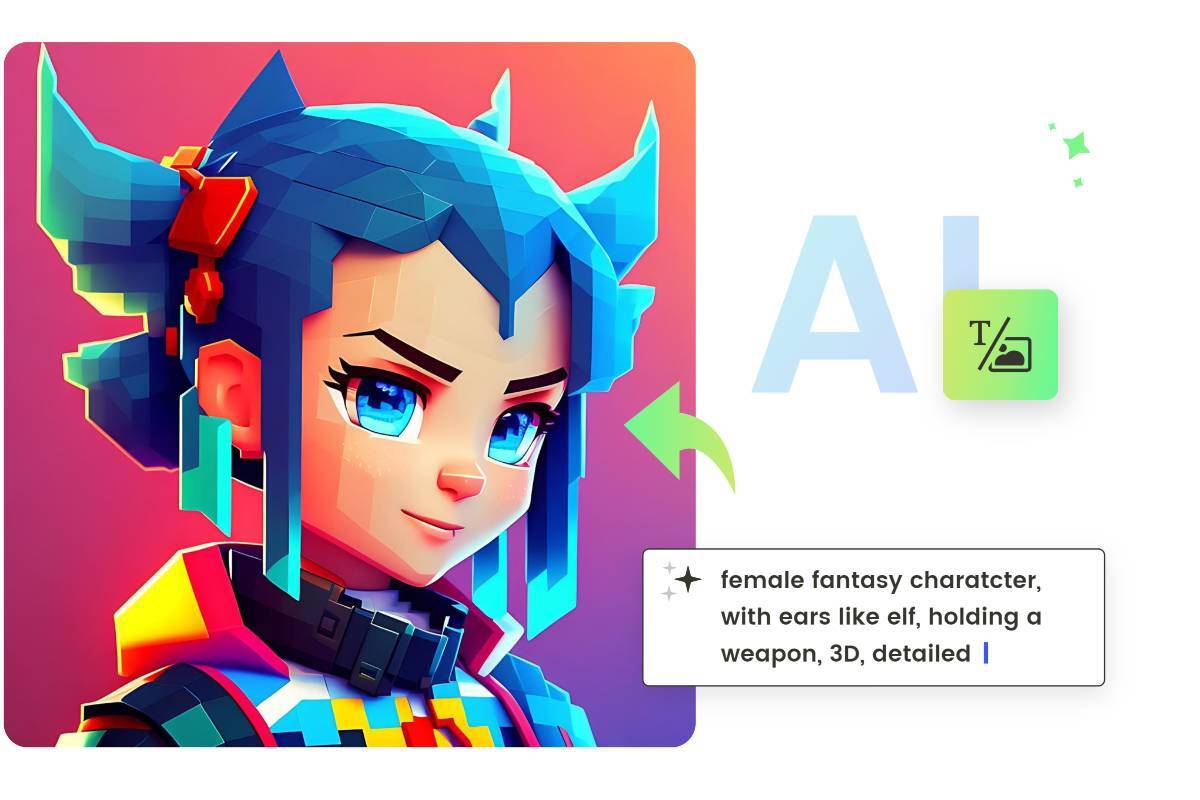
Pixel art is a digital art form characterized by the use of pixels as the fundamental unit of design. It is significant in the realm of digital art due to its unique aesthetic and nostalgic appeal, often reminiscent of early video games. This art style employs a limited color palette and a block-like structure that results in a visually striking yet simple representation of characters, objects, and environments, making it a favorite among many artists and gamers.The history of pixel art can be traced back to the late 1970s and early 1980s, coinciding with the advent of home computers and video game consoles.
As technology advanced, so did the techniques and styles associated with pixel art. Initially, the limitations of hardware dictated the usage of fewer pixels and colors, resulting in simplistic designs; however, as capabilities grew, artists began to push the boundaries of creativity. Landmark games such as “Super Mario Bros.” and “The Legend of Zelda” showcased the charm of pixel art, cementing its place in gaming history.
Over the years, pixel art has evolved, blending with modern design principles while retaining its original charm.
Notable Pixel Art Games and Artists
Several games and artists have played a crucial role in the popularity and development of pixel art. Their contributions have not only advanced the technique but also cultivated a dedicated community around this art form. Here are some notable examples:
- “Celeste” – Developed by Maddy Makes Games, this platformer is renowned for its engaging gameplay and stunning pixel art that enhances the emotional narrative.
- “Stardew Valley” – Created by ConcernedApe, this farming simulation game features delightful pixel graphics that evoke a sense of nostalgia, making it appealing to both new players and veterans of the genre.
- “Hyper Light Drifter” – This action-adventure game by Heart Machine is acclaimed for its breathtaking visuals and atmospheric storytelling, showcasing the potential of pixel art beyond traditional gaming.
- Artists like Paul Robertson – Known for his intricate pixel animations, Robertson’s work has influenced many in the industry, demonstrating how pixel art can convey complex narratives and emotions.
- Henk Nieborg – A celebrated pixel artist whose works for various games highlight the detailed craftsmanship that can be achieved using this art style.
These examples illustrate the enduring relevance of pixel art in contemporary gaming and the vital role artists play in revitalizing this unique medium.
Tools for Creating Pixel Art
Creating pixel art requires the right tools to ensure a smooth and enjoyable process. Various software and applications are available, each catering to different needs and preferences. Selecting the appropriate tool can significantly enhance productivity and creativity, making the pixel art creation experience more enjoyable.When considering pixel art software, it is essential to evaluate both free and paid options, as they offer various functionalities that can impact the final artwork.
Free tools often provide fundamental features suitable for beginners, while paid tools typically include advanced features that facilitate a more professional workflow.
Software and Applications Ideal for Pixel Art Creation
Numerous applications are designed specifically for pixel art creation, each with unique features that cater to the needs of artists. Below is a list of notable tools categorized by their pricing structure:
- Aseprite (Paid): A popular choice among professionals, Aseprite supports animation and includes a user-friendly interface, layers, and customizable brushes.
- GraphicsGale (Free with Paid Version): This tool offers a robust set of features for both pixel art and animation, making it suitable for beginners and advanced users alike.
- Piskel (Free): A web-based application that provides essential tools for creating static and animated pixel art, making it accessible and easy to use without installations.
- Pro Motion NG (Paid): Tailored for professionals, it features advanced animation tools and a customizable workspace, ideal for game development.
The choice of software can influence the workflow, with many artists preferring tools that allow for easy animation and layering, which are crucial for creating dynamic pixel art.
Comparison of Free Versus Paid Tools
The distinction between free and paid pixel art tools often revolves around features, user support, and software updates.
- Feature Set: Paid tools generally offer a more extensive range of features such as advanced color palettes, multiple layers, and tools for animation.
- User Support: Paid applications often come with dedicated customer support, tutorials, and community forums that can aid users in troubleshooting and enhancing their skills.
- Updates: Subscription-based or one-time purchase software tends to receive regular updates, ensuring users have access to the latest features and security enhancements.
This comparison highlights that while free tools can be excellent for beginners, investing in a paid tool may yield long-term benefits for serious artists.
Setting Up a Pixel Art Workspace
Creating an ideal workspace for pixel art is essential to enhance focus and creativity. A well-organized workspace can lead to a more productive workflow and inspire creativity.
- Screen Setup: Use a monitor with a high resolution to see fine details clearly. Alternatively, consider using a dual-monitor setup to have your art application open on one screen and reference images on the other.
- Workspace Organization: Ensure that your tools are easily accessible. Create folders for different projects and keep your color palette organized for quick access.
- Comfortable Environment: Invest in a comfortable chair and desk that allows for long hours of work without physical strain. Good lighting is also crucial to reduce eye strain.
An organized and comfortable workspace can significantly improve the efficiency of the pixel art creation process.
Understanding Pixel Dimensions
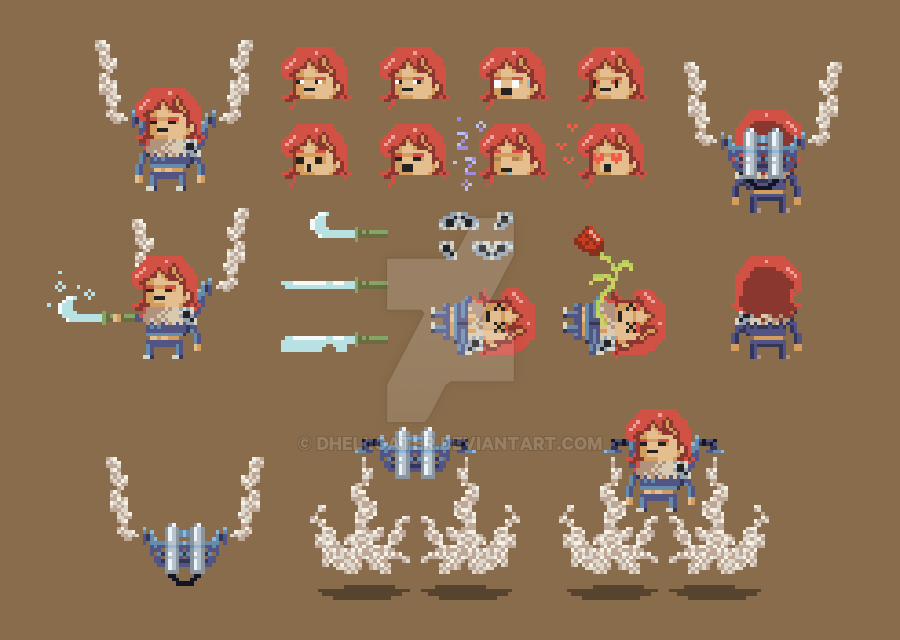
The canvas size and resolution are crucial elements in the creation of pixel art characters. These factors influence not only the overall appearance of the character but also the details that can be captured within the limited space of pixel graphics. Understanding pixel dimensions allows artists to make informed choices that enhance both the aesthetic quality and functionality of their designs.When selecting the optimal dimensions for pixel art characters, it is imperative to consider both the intended use and the level of detail desired.
Smaller canvas sizes may limit the detail that can be portrayed, while larger sizes can offer greater flexibility but may also complicate the design process. A balance must be struck between detail and usability, particularly in the context of the final medium, whether it be for digital games, animations, or static images.
Optimal Canvas Sizes for Pixel Art
Choosing the right canvas size is fundamental for the effective design of pixel art characters. Below is a table that compares different canvas sizes along with their ideal uses:
| Canvas Size (Pixels) | Detail Level | Common Uses |
|---|---|---|
| 16×16 | Very Low | Mobile games, simple icons |
| 32×32 | Low | Retro-style games, simple characters |
| 64×64 | Medium | Indie games, detailed characters |
| 128×128 | High | Detailed sprites, animations |
| 256×256 | Very High | Promotional art, high-resolution assets |
This table illustrates how different dimensions can accommodate various levels of detail and application. For instance, game developers typically utilize smaller canvases for characters that appear further away or in simpler designs, whereas larger canvases are suitable for main characters or assets that require more intricate details. By carefully selecting the canvas size, artists can optimize their pixel art for clarity and visual impact, effectively communicating the personality and traits of their characters.
Designing Your Character
Creating a compelling pixel art character begins with a thoughtful design process. Character design requires not only creativity but also an understanding of the traits and elements that contribute to a character’s uniqueness. This section will guide you through the essential steps in conceptualizing your character and provide insights into the various traits that can shape their identity.Character design is a multi-faceted process that encompasses several aspects.
It is crucial to consider the character’s personality traits, backstory, and visual characteristics. These elements work together to form a coherent and relatable character that resonates with your audience. Emphasis should be placed on how these traits influence the character’s appearance and behavior.
Steps for Conceptualizing a Character Design
The following steps are essential for developing a well-rounded character design. Each step builds upon the previous one, resulting in a comprehensive understanding of your character.
1. Define the Character’s Role
Identify the character’s function within the story or game. Are they a hero, villain, sidekick, or mentor? This role will greatly influence their design.
2. Establish Personality Traits
Consider how the character behaves and interacts with others. Traits such as brave, shy, mischievous, or wise contribute to the character’s depth and appeal.
3. Create a Backstory
Develop a history for your character. Understanding their past experiences can help inform their current motivations and personality.
4. Visualize the Aesthetics
Think about colors, shapes, and styles that reflect the character’s personality and role. A bold character may use bright colors, while a more reserved character might favor muted tones.
5. Sketch the Character
Begin drawing rough sketches to explore various poses, expressions, and outfit designs. This stage allows for experimentation and creativity.
Character Traits to Consider
When conceptualizing your character, it is beneficial to list specific traits that can enhance their depth and relatability. Below is a comprehensive list of character traits to consider during the design process:
- Personality: Determine key traits such as friendliness, humor, or seriousness.
- Backstory: Explore their origins, significant life events, and motivations.
- Appearance: Define physical attributes such as hair color, eye color, height, and build.
- Clothing Style: Consider what type of clothing would suit the character’s personality and setting.
- Strengths and Weaknesses: Identify their skills and vulnerabilities that can impact their journey.
- Relationships: Examine the connections with other characters and how these influence their development.
Techniques for Sketching Characters
Sketching is a fundamental skill that allows you to visualize your character before refining the details. Employing techniques will enhance your ability to create engaging designs.
1. Use Basic Shapes
Start with simple shapes to Artikel the character’s form. Circles, squares, and triangles can guide the proportions and pose.
2. Explore Different Angles
Draw the character from multiple perspectives to gain a better understanding of their three-dimensional form.
3. Focus on Expressions
Practice drawing various facial expressions to capture the character’s emotions and personality traits.
4. Experiment with Outfits
Try different clothing designs and accessories to find the best fit for your character’s personality and story.
5. Iterate on Designs
Don’t hesitate to redraw and modify your sketches. Iteration is key to discovering the best elements for your character.
“A character’s design is not just about aesthetics; it reflects their essence and journey within the narrative.”
Color Palette Selection
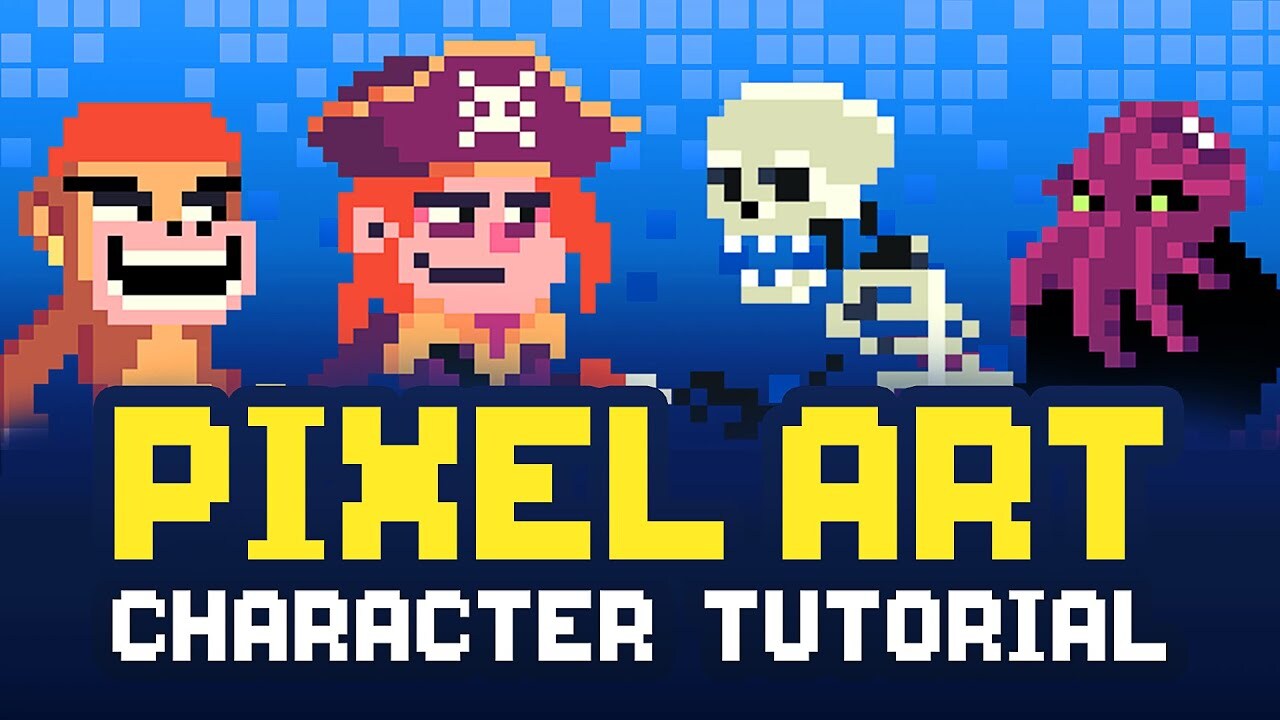
Color plays a crucial role in pixel art, as it not only enhances the visual appeal but also evokes emotions and sets the tone for characters. A well-chosen color palette can significantly impact how the audience perceives a character and the narrative surrounding them. Understanding the emotional implications of colors can lead to more engaging and memorable designs.Creating harmonious color palettes is vital for maintaining visual coherence in your pixel art.
Using a limited number of colors not only simplifies the design process but also ensures that the character’s appearance is cohesive and appealing. Here are several methods to help you develop effective color palettes:
Methods for Creating Color Palettes
When selecting colors for your pixel art characters, consider the following approaches that can lead to harmonious and visually appealing results:
1. Analogous Colors
These are colors that are next to each other on the color wheel. For example, combinations of blue, green, and yellow can create a serene and harmonious look. Utilizing analogous colors can help convey a particular mood, such as calmness or happiness.
2. Complementary Colors
These are colors located opposite each other on the color wheel. Using complementary colors like red and green or blue and orange can create striking contrasts and highlight specific elements of your character design. This method is effective for drawing attention to key features or emotions.
3. Monochromatic Schemes
This approach involves using variations in lightness and saturation of a single color. For instance, a palette based on different shades of purple can evoke a sense of elegance or mystery while providing a clean and unified appearance.
4. Limited Color Palettes
Restricting the number of colors can lead to a more cohesive design. A common approach in retro pixel art is using a palette with only 8 to 16 colors. This not only challenges your creativity but also results in a visually striking character with a recognizable style.
5. Color Theory Tools
Utilize online tools and software, such as Adobe Color or Coolors, which can assist in generating color schemes. These tools often provide options for creating palettes based on selected colors and can suggest analogous and complementary colors based on your choices.
Examples of Color Palettes in Character Design
Understanding how different color palettes can influence character design is essential. Here are examples of prominent palettes and their applications:
Pastel Palette
Soft, light colors like pale pink, mint green, and soft yellow are often used for characters that are sweet or whimsical. This palette can convey innocence and approachability, making it popular for younger audiences or fantasy themes.
Earthy Tones
Utilizing colors such as brown, ochre, and olive green can give characters a grounded and natural feel. This palette is often employed for characters that are meant to represent nature or the outdoors, enhancing their connection to the environment.
Neon Colors
Bright, vivid colors such as electric blue, hot pink, and neon green can be used for futuristic or high-energy characters. This palette creates a sense of excitement and can be particularly effective in action-oriented games or designs aimed at a younger demographic.
Retro Palette
A limited palette reminiscent of classic video games often employs a combination of bright primaries and muted tones. Such palettes evoke nostalgia and can appeal to audiences who appreciate vintage aesthetics.
Dark and Moody Palette
Deep colors like burgundy, navy blue, and charcoal can create a sense of intrigue or darkness in character design. This palette is typically used for villains or complex characters in narratives that explore themes of struggle or moral ambiguity.By thoughtfully selecting your color palette, you can enhance the emotional depth and visual impact of your pixel art characters. Successfully applying these techniques will elevate your designs, making them not only visually appealing but also emotionally resonant with your audience.
Adding Details and Features
In pixel art, the details and features you incorporate into your characters are crucial for bringing them to life. This segment focuses on adding facial features and expressions, as well as creating clothing and accessories, along with shading and highlighting techniques that enhance the depth and appeal of your pixel characters.
Facial Features and Expressions
Facial features are essential for conveying emotion and personality in pixel art characters. To effectively design these attributes, consider the following key aspects:
- Eyes: The shape and color of the eyes can express a character’s mood. For example, small dots can represent a surprised expression, while wider eyes can show excitement. Use simple shapes to maintain clarity.
- Mouth: The mouth can be designed using just a few pixels. A turned up line can indicate happiness, while a downturned line suggests sadness. Adjust the pixel count to maintain the simplicity characteristic of pixel art.
- Eyebrows: Adding eyebrows can dramatically change a character’s expression. A slight tilt or arch can convey anger or confusion, while relaxed eyebrows can indicate calmness.
By combining these elements thoughtfully, you can create diverse and expressive faces that enhance your characters’ personalities.
Creating Clothing and Accessories
Clothing and accessories are vital for defining a character’s style and identity. Designing these elements requires attention to detail and an understanding of how to represent fabric and textures in a limited pixel space. The following points will help guide the creation of clothing:
- Silhouette: Start with a basic shape that represents the character’s body. This will help you visualize how clothing will fit and flow.
- Layering: Create layers for different clothing items, such as shirts, pants, and outerwear. This adds depth and allows for more complex designs.
- Accessories: Include items such as hats, glasses, or jewelry to give your characters distinct identities. Ensure these accents are proportionate to the character’s scale.
Utilizing these techniques enhances the individuality of each character, making them memorable and engaging.
Shading and Highlighting Techniques
Shading and highlighting are critical components in achieving a three-dimensional look in pixel art. These techniques help define the light source and create volume. The following approaches will assist in mastering shading and highlighting:
- Light Source: Determine the direction of your light source. This will guide where you place shadows and highlights on your character.
- Color Variation: Use slightly darker tones of your base color for shadows and lighter tones for highlights. This variation adds depth and dimension.
- Anti-Aliasing: Apply anti-aliasing techniques to smooth out the edges of your characters. This can involve using intermediate colors to create a gradient effect between light and dark areas.
By incorporating shading and highlighting, your pixel art characters will stand out and possess a more lifelike quality, inviting viewers to engage with their visual stories.
Animation Basics for Pixel Art
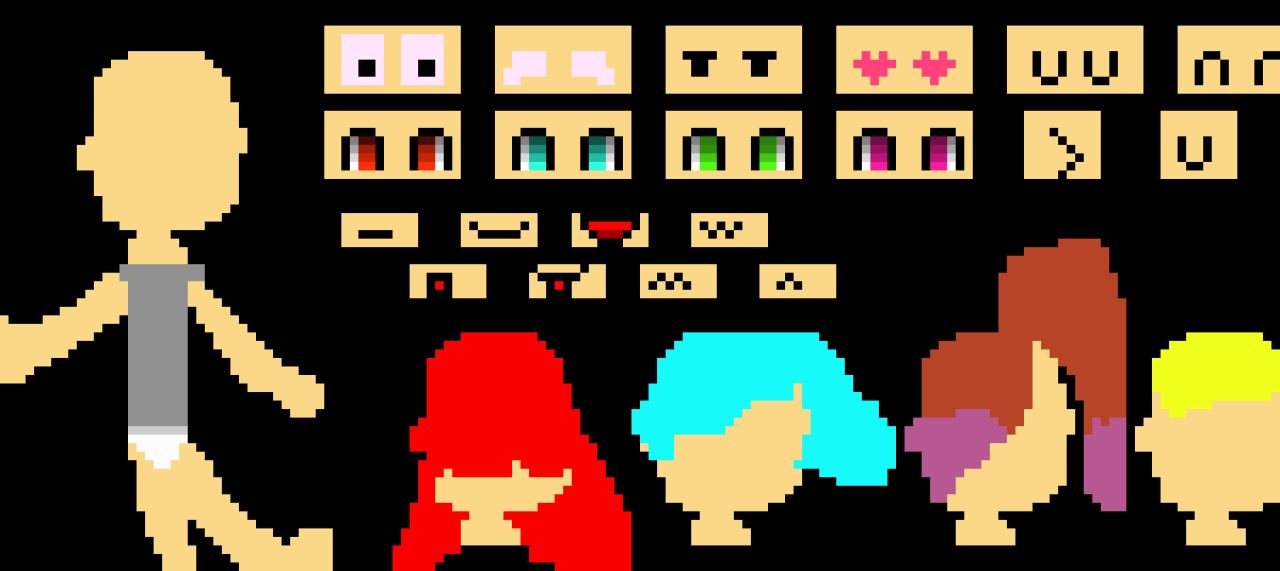
Animation is an essential aspect of bringing pixel art characters to life, transforming static designs into dynamic visuals. Understanding the fundamental principles of animation can greatly enhance the effectiveness of your pixel art projects. This section will explore key animation principles, techniques for creating simple animations, and the importance of frame rates in achieving smooth motion.
Key Principles of Animation
The principles of animation serve as a foundation for creating fluid and believable motion in pixel art. These principles include:
1. Squash and Stretch
This principle involves altering the shape of an object to convey weight and volume during movement, making animations appear more lively.
2. Anticipation
Preparing the viewer for an action by creating a subtle movement before the main action occurs. This builds excitement and adds realism.
3. Staging
Ensuring that the action is clear and easily understood. This involves the effective placement of characters and backgrounds within the frame.
4. Straight Ahead Action and Pose to Pose
Straight ahead animation involves drawing out the entire sequence frame-by-frame, while pose to pose consists of defining key frames and filling in the gaps.
5. Follow Through and Overlapping Action
Follow through ensures that parts of the character continue moving after the main action has stopped, while overlapping action involves different parts of the character moving at different rates.Understanding these principles will enhance the quality of your animations and create a more engaging experience for your audience.
Creating Simple Animations
Creating simple animations such as walking cycles can be accomplished through a few key frames. A typical walking cycle consists of four main poses: contact, recoil, passing, and high point. These frames can be illustrated as follows:
Contact Position
The character’s feet touch the ground, indicating the beginning of a step.
Recoil Position
The character’s body compresses as weight shifts onto the standing foot.
Passing Position
The character’s legs are in the process of moving past each other.
High Point Position
The character is at the peak of their movement before descending.When animating a walking cycle, it is essential to ensure that the transition between these key frames is smooth. Utilizing tools that allow for onion skinning can help visualize the flow between frames.
Frame Rates and Smoothness of Animation
The frame rate, measured in frames per second (FPS), significantly impacts the smoothness of an animation. Higher frame rates create smoother motion, while lower rates can result in choppier playback. Below is a table detailing common frame rates and their effects on animation quality:
| Frame Rate (FPS) | Animation Quality |
|---|---|
| 12 FPS | Choppy, suitable for stylized animations, often used in retro games. |
| 24 FPS | Smoother animation, commonly used in traditional animation and film. |
| 30 FPS | Very smooth, ideal for video games and real-time animation. |
| 60 FPS | Ultra-smooth motion, often used in high-definition gaming and fast-paced action. |
It is vital to choose an appropriate frame rate based on the intended style and purpose of your animation. A higher frame rate may require more frames and detailed artwork, while a lower frame rate can enhance a retro aesthetic without compromising creativity.
“Animation breathes life into pixel art, allowing characters to express emotions and actions dynamically.”
Exporting and Sharing Your Pixel Art
Exporting pixel art effectively is crucial for ensuring your creations maintain their quality across various platforms. This process involves selecting the appropriate file format and size that best suits your intended use, whether for online sharing, printing, or game development. Understanding how to export properly will allow you to showcase your work without losing detail or clarity.
Steps for Exporting Pixel Art
When preparing to export your pixel art, it is essential to choose the correct format based on where you plan to use your artwork. Below are common formats along with their specific advantages:
- PNG (Portable Network Graphics): Ideal for pixel art due to its lossless compression, preserving the original quality without artifacts.
- GIF (Graphics Interchange Format): Suitable for simple animations and limited color palettes, making it a popular choice for web use.
- JPEG (Joint Photographic Experts Group): Although not recommended for pixel art due to lossy compression, it can be used for larger images where file size is a priority.
- SVG (Scalable Vector Graphics): Useful for creating scalable designs, though it requires a bit more complexity in your designs compared to raster formats.
After selecting a format, follow these steps to ensure your artwork is exported correctly:
- Open your pixel art in the software you used to create it.
- Navigate to the “File” menu and select “Export” or “Save As.”
- Choose your desired format from the dropdown menu.
- Adjust the dimensions if necessary, ensuring to maintain the pixel ratio.
- Save the file to your desired location.
Platforms for Sharing Pixel Art
Showcasing your pixel art effectively involves utilizing various online platforms that cater to art sharing. The following platforms are particularly popular among creators:
- DeviantArt: A well-established community where artists can upload and showcase their work, receive feedback, and connect with others.
- ArtStation: A platform tailored for professional artists, offering high-quality art showcases and networking opportunities.
- Pixilart: A community specifically for pixel art enthusiasts, featuring tools for creation as well as sharing capabilities.
- Twitter: An excellent platform for real-time sharing and engagement, where artists can reach a broad audience quickly.
These platforms not only allow for sharing but also provide opportunities to gain exposure within the art community.
Communities and Forums for Pixel Artists
Engaging with other pixel artists can enhance your skills and provide support through shared experiences. Communities and forums dedicated to pixel art are abundant, each fostering a unique environment for artists to thrive. Examples include:
- PixelJoint: A forum and gallery where pixel artists can showcase their work, participate in challenges, and get critiques from peers.
- Reddit: r/PixelArt: A subreddit where artists share their pixel creations, seek advice, and discuss techniques.
- Discord: Many Discord servers are dedicated to pixel art, offering real-time communication and collaboration opportunities among artists.
- DeviantArt Forums: A section of DeviantArt where artists can discuss techniques, tools, and share resources.
Participating in these communities not only helps in receiving valuable feedback but also opens doors for collaboration and networking with other artists.
Tips for Improvement
Improving your pixel art skills is an ongoing journey that requires dedication, practice, and a willingness to learn from both successes and setbacks. By actively seeking feedback and being mindful of common pitfalls, you can refine your techniques and enhance your creativity. In this section, we will explore effective strategies for obtaining constructive critiques, identify common mistakes in pixel art creation, and provide a list of valuable resources for further learning and practice.
Strategies for Getting Constructive Feedback
Receiving constructive feedback is essential for artistic growth. It helps you identify areas for improvement and gain new perspectives on your work. Here are some strategies to effectively gather feedback on your pixel art:
- Engage with Online Communities: Join platforms such as DeviantArt, ArtStation, or specialized pixel art forums where you can post your work and receive critiques from fellow artists.
- Participate in Challenges: Many online art challenges encourage peer reviews, offering an excellent opportunity to receive feedback while honing your skills.
- Seek Out Workshops: Consider enrolling in workshops or classes focused on pixel art, where instructors can provide personalized feedback on your projects.
- Ask Specific Questions: When seeking feedback, be specific about the aspects you wish to improve; this encourages more targeted and useful responses.
Common Mistakes to Avoid in Pixel Art Creation
Being aware of common mistakes can significantly enhance the quality of your pixel art. Here are some pitfalls to watch out for:
- Ignoring Pixel Dimensions: Always work within the set dimensions of your canvas, as scaling up can lead to blurred images and loss of detail.
- Overcomplicating Designs: Simplify your designs by focusing on key features rather than adding excessive details that may clutter the image.
- Neglecting Color Harmony: Ensure that your color palette is cohesive. Clashing colors can detract from the overall aesthetic and impact of your characters.
- Forgetting about Animation Consistency: If creating animated pixel art, maintain consistent character proportions and movements to ensure fluidity.
- Being Overly Critical of Yourself: While self-improvement is crucial, being too harsh can stifle creativity. Embrace mistakes as learning opportunities.
Resources for Further Learning and Practice
Dedicating time to expand your understanding of pixel art can be both enjoyable and rewarding. Here are some resources that can aid in your learning journey:
- Books: “Make Your Own Pixel Art” by Jennifer Fox provides a comprehensive guide for beginners.
- Online Courses: Websites like Udemy and Skillshare offer courses specifically aimed at pixel art creation.
- YouTube Channels: Channels such as “Brandon James Greer” and “Nicolas J. Leclercq” feature tutorials and tips for enhancing your pixel art skills.
- Software Tutorials: Explore tutorials available for popular software options like Aseprite, Piskel, and GraphicsGale for practical, hands-on learning.
- Art Challenges and Contests: Websites like itch.io host regular art challenges that can motivate you to practice and improve.
Wrap-Up
In conclusion, the journey of creating your own pixel art characters is both rewarding and enriching. By familiarizing yourself with the tools and techniques Artikeld in this guide, you will not only enhance your artistic skills but also connect with a vibrant community that appreciates the charm of pixel art. Whether you are a seasoned artist or a beginner, the world of pixel art awaits your creativity and inspiration, encouraging continuous growth and exploration in this beloved medium.