In the realm of art, the transition from digital canvas or traditional mediums to high-quality prints is a crucial step that can significantly influence the reception of an artist’s work. This guide, “How to Prepare Your Art for High-Quality Prints,” offers insights into the technical and creative aspects that ensure your artwork translates beautifully into print. With an emphasis on understanding print quality metrics, preparing digital and traditional artwork, and collaborating effectively with printing professionals, artists can enhance their prints’ quality and marketability.
Navigating through the complexities of resolution, color accuracy, and material selection can seem daunting; however, this guide will demystify the process. By exploring essential software tools, scanning techniques, optimal file formats, and best practices for marketing, artists will be better equipped to produce prints that not only reflect their vision but also resonate with audiences and collectors alike.
Understanding Print Quality
In the realm of art, the journey from creation to reproduction is a critical one. High-quality prints not only preserve the integrity of the original artwork but also enhance its visibility and marketability. Understanding print quality is essential for artists who wish to effectively communicate their vision through physical mediums.The significance of print quality lies in its direct impact on the visual and emotional experience of the viewer.
Various metrics define print quality, with resolution and color accuracy being paramount. Resolution refers to the amount of detail an image holds, typically measured in dots per inch (DPI). Higher DPI values result in sharper images, which are crucial for showcasing intricate details in artwork. Color accuracy, on the other hand, ensures that the colors in the print closely match those in the original piece.
This fidelity is essential for maintaining the artist’s intended palette and emotional tone.
Print Quality Metrics
Several metrics are fundamental when assessing print quality, and understanding them can prevent common pitfalls in the preparation process. Resolution is one of the most important metrics; it determines the clarity of the printed image. For fine art prints, a resolution of at least 300 DPI is typically recommended. This ensures that details remain crisp, even when viewed up close.
Color accuracy is equally vital, as it reflects how true the printed colors are to the original artwork. This metric can be influenced by various factors, including the color space used (such as RGB or CMYK) and the capabilities of the printer. Common mistakes artists make when preparing their art for prints include the following:
- Neglecting to set the correct resolution leads to pixelation in prints.
- Using the wrong color space can cause colors to appear differently in print than intended, often resulting in dull or inaccurate representations.
- Failing to proof the prints before running a large batch can lead to costly errors and wasted materials.
The quality of a print reflects the artist’s commitment to their craft, and poor print quality can detract from the viewer’s experience.
Preparing Digital Artwork
Preparing digital artwork for high-quality prints is pivotal in ensuring that your creative vision is translated accurately onto the printed medium. This process involves selecting the appropriate software, adjusting the resolution and dimensions of your artwork, and employing effective color management techniques. Understanding these elements can significantly enhance the quality of your prints and ensure they meet professional standards.
Software Options for Preparing Digital Artwork
A variety of software programs are available for artists to prepare their digital artwork for printing. Each option offers unique features tailored to different needs. The following list highlights some of the most reputable software available:
- Adobe Photoshop: Known for its advanced editing capabilities, Photoshop allows artists to manipulate images with precision, making it a favorite among professionals.
- Adobe Illustrator: Ideal for vector graphics, Illustrator is perfect for designs that require scalability without loss of quality, such as logos and illustrations.
- CorelDRAW: This software is another strong choice for vector graphics and provides a user-friendly interface, often preferred for its intuitive tools.
- Affinity Designer: As an affordable alternative to Adobe products, Affinity Designer offers robust vector and raster tools suitable for a variety of design projects.
- GIMP: A free, open-source software, GIMP provides many powerful features that make it a solid choice for artists on a budget.
Setting Up the Correct Resolution and Dimensions
Correct resolution and dimensions are crucial for achieving high-quality prints. The standard resolution for print is typically set at 300 pixels per inch (PPI), which ensures that images are sharp and detailed. Here’s a step-by-step guide to setting up your artwork:
- Open your chosen software and create a new document.
- Set the document size according to the desired print dimensions. For example, if you wish to print a piece that measures 8×10 inches, input these dimensions into the width and height fields.
- Adjust the resolution to 300 PPI. This can usually be done in the document settings or properties section.
- Select the color mode; CMYK is preferred for print as it provides a more accurate representation of printed colors.
- After setting these parameters, you can begin creating or importing your artwork into the document.
Color Management and Using Color Profiles
Effective color management is essential for ensuring that the colors in your digital artwork match those in the final print. Utilizing color profiles helps maintain consistency across different devices. The following steps Artikel how to manage colors effectively:
“Using the appropriate color profiles allows for accurate color reproduction and enhances the overall quality of printed materials.”
Begin by selecting a color profile appropriate for your artwork:
- Adobe RGB (1998): This profile is excellent for digital art intended for print, as it encompasses a wide color gamut.
- CMYK Profile: Specific CMYK profiles (like U.S. Web Coated SWOP v2) are often used for print since they accurately reflect the color range of printing presses.
- Monitor Calibration: Regularly calibrate your monitor to ensure that the colors displayed match the actual printed colors.
Additionally, always perform test prints when possible. This allows you to see how colors translate from digital to print and make adjustments as necessary.
Scanning Traditional Artwork
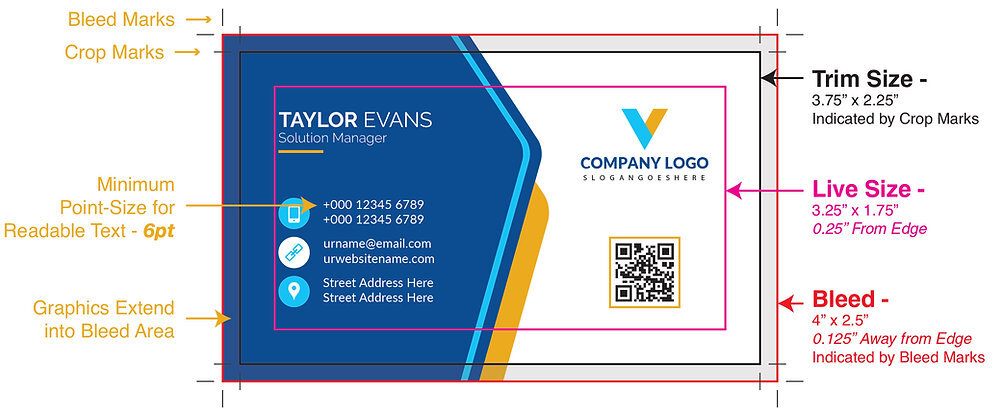
To successfully convert traditional artworks into digital files, proper scanning techniques play a crucial role in achieving high-quality reproductions. This process ensures that the unique details, colors, and textures of the original piece are accurately captured, allowing artists to produce prints that closely resemble their original creations. The use of appropriate equipment and settings is essential for optimal results. A high-resolution scan is necessary to preserve fine details and subtle nuances within the artwork.
The following sections will delve into the recommended practices for scanning traditional artworks, including an overview of the necessary equipment, ideal settings, and a comparison between flatbed scanners and professional scanning services.
Best Practices for Scanning
When scanning traditional artwork, certain practices can significantly enhance the quality of the digital files produced. These include:
- Clean the Artwork: Before scanning, ensure that the artwork is free of dust, fingerprints, or any other obstructions that may affect the quality of the scan.
- Proper Lighting: If the artwork is three-dimensional or has texture, consider using a light source that minimizes glare and shadows. While scanning flat pieces, natural light can be beneficial.
- Correct Orientation: Ensure that the artwork is positioned flat and correctly aligned with the scanner bed to avoid distortion and perspective errors.
- Resolution Settings: Set the scanner to a high-resolution setting, typically 300 dpi (dots per inch) or higher, to capture fine details and ensure that the digital file can be scaled without losing quality.
- Color Settings: Use the scanner’s color management settings to ensure that colors are accurately represented, and choose RGB color mode for vibrant results.
Necessary Equipment and Settings
For achieving optimal scans, the choice of equipment is paramount. The following tools and settings are commonly recommended:
- Flatbed Scanner: A high-quality flatbed scanner is ideal for most traditional artworks, as it provides even lighting and the ability to scan larger pieces without distortion.
- Professional Scanning Services: For artists who require exceptional detail and color accuracy, professional scanning services offer specialized equipment that can capture intricate details that home scanners may miss.
- Software: Advanced scanning software allows for adjustments post-scan, such as color correction and cropping, ensuring the final digital file meets the artist’s expectations.
- Calibration Tools: Use calibration targets to ensure that your scanner accurately reproduces colors, maintaining consistency across different scans.
Comparison of Flatbed Scanners and Professional Scanning Services
When deciding between using a flatbed scanner and a professional scanning service, several factors should be considered, including cost, convenience, and the level of detail needed.
- Flatbed Scanners: These devices are typically more accessible and affordable for individual artists. They allow for immediate control over the scanning process and can be used for various projects. However, their results depend heavily on the scanner’s quality and the user’s expertise.
- Professional Scanning Services: These services utilize high-end equipment and experienced technicians to ensure the best possible reproduction. They are beneficial for artists requiring archival quality or large-scale prints. However, they may come at a higher cost and require more time to complete the process.
Choosing the right scanning method is essential for preserving the integrity and vibrancy of traditional artworks in their digital form.
File Formats and Exporting
When preparing art for high-quality prints, understanding the significance of different file formats and the exporting process is essential. Each file format has its own strengths and weaknesses that can affect the final output, influencing both quality and production efficiency. Selecting the appropriate format and export settings is critical to achieving optimal print results.
Significance of Different File Formats
Choosing the correct file format is vital for ensuring that your artwork looks its best when printed. Common formats include JPEG, TIFF, and PNG, each serving unique purposes:
- JPEG: This widely used format compresses images, which allows for smaller file sizes. However, this compression can lead to a loss of image quality, particularly in high-detail artworks. JPEGs are best suited for images with complex colors and gradients.
- TIFF: The TIFF format is preferred for high-quality prints due to its lossless compression. It retains all the detail and color information, making it ideal for professional printing. TIFF files are larger in size, which may require more storage space but ultimately provide superior quality.
- PNG: Primarily used for digital graphics and images with transparency, PNG files offer lossless compression similar to TIFF. However, they are not typically recommended for high-resolution photo printing as they may not hold the same quality in detail as TIFF files.
Best Quality Settings for Exporting Files
Exporting files at the correct settings is a crucial step in the preparation process. The following guidelines should be followed to ensure high-quality outputs:
- Choose a resolution of at least 300 DPI (dots per inch) for print files, as this is the standard for high-quality print production.
- Ensure that color settings are set to CMYK (Cyan, Magenta, Yellow, Black) rather than RGB (Red, Green, Blue). CMYK is the color model used in printing, resulting in more accurate color reproduction.
- When exporting from design software, select the highest quality settings available. For TIFF files, choose the uncompressed option to preserve image integrity.
File Compression and Its Impact on Print Quality
File compression can significantly influence the quality of printed images. Understanding how compression affects your artwork is essential for maintaining fidelity in prints.
“High compression can lead to visible artifacts in the images, such as blurring or pixelation, which degrades overall print quality.”
When considering file compression, the following points should be taken into account:
- Avoid overly compressing images, particularly if using JPEG format, as this can result in a loss of detail and clarity.
- For TIFF files, opt for no compression or LZW compression, which reduces file size without compromising quality.
- Evaluate the final use of the artwork; for fine art prints, prioritize quality over file size, ensuring that all elements remain sharp and vibrant.
Choosing the Right Paper and Materials
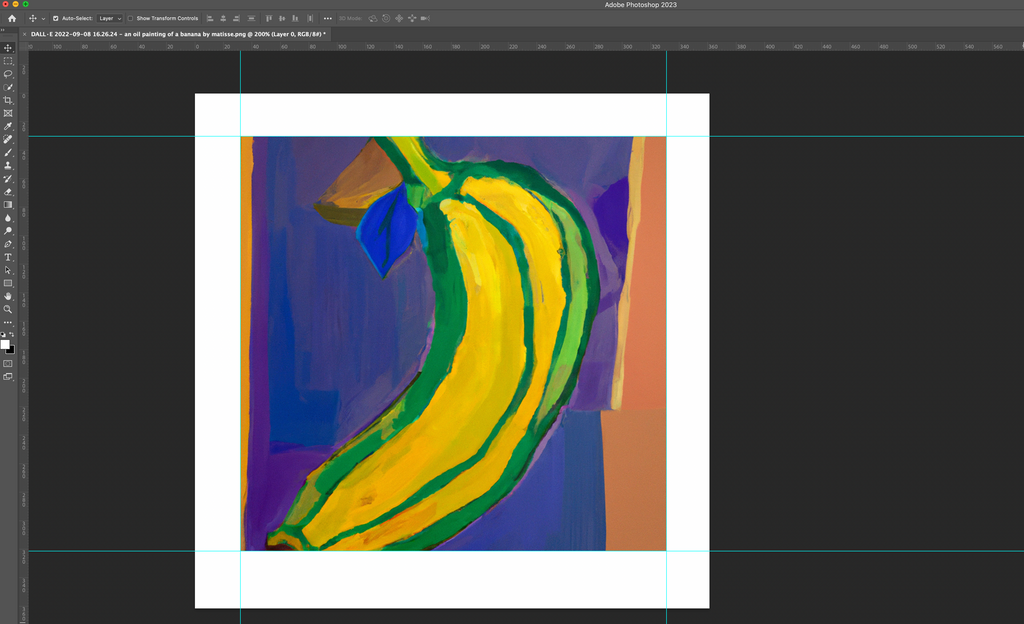
The choice of paper and materials is a crucial aspect of preparing artwork for high-quality prints. Different types of paper and materials can enhance the visual impact of the artwork, influence color accuracy, and affect the overall texture and feel of the final product. By understanding the characteristics of various print media, artists can make informed decisions to achieve their desired outcomes.The quality of paper plays a significant role in the final print outcome.
High-quality paper can absorb ink more efficiently, leading to richer colors and finer details. Conversely, lower-grade paper may result in dull colors and a lack of definition. There are several types of print media available, each suited to different artistic styles, which can greatly enhance the presentation of the artwork.
Types of Print Media
Selecting the appropriate print media is vital for achieving the best representation of your artwork. Below are some common types of print media, along with their ideal applications:
- Fine Art Paper: This type of paper is specifically designed for reproducing artwork. It usually has a textured surface that mimics traditional watercolor paper, making it ideal for reproducing paintings and other textured artworks.
- Photo Paper: Photo paper is typically glossy or satin, offering excellent color depth and vibrancy. It is best suited for photographic prints and digital illustrations that require sharp details and rich colors.
- Canvas: Canvas prints provide a unique texture that gives artwork a gallery-quality feel. They are particularly effective for reproducing oil and acrylic paintings, as they emulate the original medium.
- Textured Paper: This type of paper features a pronounced texture that adds dimension to prints. It works well for illustrations and works that benefit from a tactile quality.
- Recycled Paper: For environmentally conscious artists, recycled paper offers a sustainable option. It is available in various textures and finishes and can appeal to those who value eco-friendly practices.
Comparison of Finishes
Understanding the differences between glossy, matte, and textured finishes is essential when preparing artwork for prints. Each finish has its own unique characteristics and is suited to specific applications.
“The choice of finish can significantly alter the perception of your artwork.”
Glossy Finish
Glossy prints are highly reflective and amplify colors, making them vibrant and eye-catching. They are ideal for photographs and artworks where a high level of detail and brightness is essential. However, they may also be prone to glare, making them less suitable for viewing under bright light conditions.
Matte Finish
Matte finishes offer a non-reflective surface, giving a soft and sophisticated look to prints. They are excellent for artworks that require subtler tones and softer contrasts. Additionally, matte finishes are less susceptible to fingerprints and smudges, making them practical for handling.
Textured Finish
Textured finishes, such as those found on fine art papers, add a tactile element to prints. They can enhance the depth and character of an image, making them ideal for reproducing artworks that rely on texture for their visual impact. This finish is often preferred for fine art reproductions, as it can closely resemble the original piece.By carefully selecting the right paper and materials, artists not only ensure the longevity of their prints but also enhance the overall aesthetic experience for viewers, elevating their work to its highest potential.
Working with Print Professionals
Collaborating with print professionals is a crucial step in ensuring that your artwork translates beautifully onto paper. Selecting the right printing service can significantly impact the final quality of your prints, making it essential to choose wisely. This process involves not only finding a reputable printer but also understanding the nuances of print production to get the best results for your artwork.
Selecting a Reputable Printing Service
Finding a reliable printing service begins with research and evaluation. Artists should seek recommendations from peers or online platforms, checking for reviews and customer feedback. Additionally, visiting potential printers’ facilities can provide insights into their capabilities and equipment. Consideration should be given to printers who specialize in fine art prints, as they often understand the unique requirements of art reproduction.
It’s advantageous to inquire about their experience with different mediums and techniques that may align with your artwork’s needs.
Questions to Ask Printers Before Starting a Project
Before commencing a printing project, it’s imperative to engage in a dialogue with your chosen printer. This ensures that both parties are aligned on expectations and technical specifications. Here are some essential topics to cover:
Print Techniques
Inquire about the printing methods available, such as giclée or offset printing, and their suitability for your artwork.
Color Accuracy
Discuss how the printer manages color calibration and proofs to ensure the final product matches the intended colors.
Paper Options
Ask about the range of paper stocks available, including weights, textures, and finishes that would enhance your artwork.
Turnaround Time
Confirm the expected timeline for print production and delivery.
Pricing Structure
Clarify the costs involved, including setup fees, proofs, and any additional charges that may apply. Understanding these elements will help establish a clear framework for the print project and ensure that both artist and printer are on the same page.
The Importance of Proofing and Reviewing Prints
Proofing is an essential step in the printing process that allows artists to evaluate how their artwork will look once printed. This stage is critical for identifying any discrepancies in color, detail, or overall composition before the final run. Engaging in a thorough review of prints can prevent costly mistakes and ensure the final product meets artistic vision. When reviewing proofs, artists should focus on:
Color Fidelity
Check that colors match expectations and adjust for any shifts that might occur during printing.
Resolution
Ensure that the print maintains the intended level of detail and sharpness.
Crop and Alignment
Verify that cropping is accurate and that the artwork is aligned correctly on the paper.
“A well-executed proof is an artist’s best assurance of a successful print.”
Establishing a constructive feedback loop with the printer during this stage can lead to improved results and a more satisfying final product. By prioritizing proofing, artists can safeguard their creative expression and achieve prints that truly reflect their artistic vision.
Marketing and Selling Prints
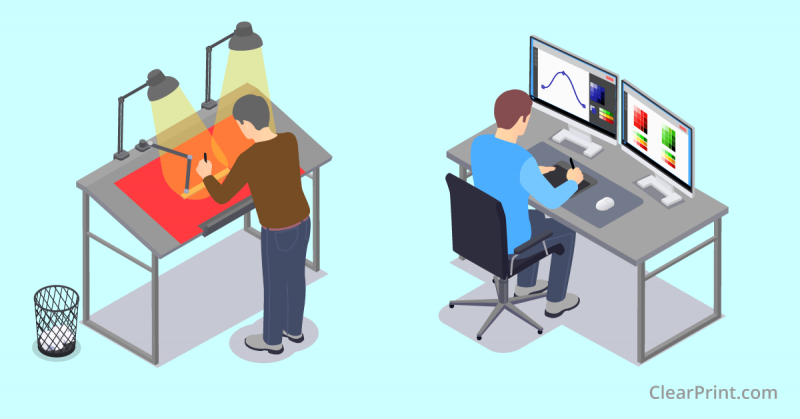
In today’s digital landscape, effectively marketing and selling your art prints is essential for reaching a broader audience. With the rise of online marketplaces, artists have unique opportunities to showcase their work. This requires not only the creation of high-quality prints but also thoughtful marketing strategies to engage potential buyers.
Preparation for Online Marketplaces
When preparing artwork for online marketplaces, it is crucial to ensure that your presentation is professional and inviting. This involves several key steps to optimize your work for visibility and attractiveness to potential customers.
- Use High-Resolution Images: Always upload high-resolution images of your prints to showcase quality. This allows potential buyers to appreciate the details and colors of your artwork.
- Consistent Branding: Create a cohesive brand identity across your listings, including a consistent color palette, typography, and logo. This establishes trust and makes your artwork memorable.
- Engaging Thumbnails: Thumbnails serve as the first impression of your work. Use visually striking images that capture the essence of your piece and entice clicks.
- Clear Pricing: Clearly state the price of your prints, including any shipping fees. Transparency helps build trust with buyers and prevents confusion during the purchasing process.
- Market Research: Identify trending styles and themes within your niche. Tailoring your work to align with market demands can increase your chances of sales.
Strategies for Photographing Prints
High-quality photographs of your prints are essential for effective marketing. The way you present your artwork can significantly influence potential buyers. Here are important considerations for photographing your prints:
- Natural Lighting: Utilize natural light whenever possible. Soft, diffused daylight minimizes harsh shadows and brings out the true colors of your artwork.
- Neutral Backgrounds: Use simple, uncluttered backgrounds to ensure that your artwork remains the focal point. Solid colors or textured surfaces work well for this purpose.
- Angles and Perspectives: Experiment with different angles to find the most flattering representation of your print. Showcase both the entire piece and close-up details to highlight textures and brushwork.
- Editing: Post-processing is essential to enhance the quality of your photographs. Make adjustments to exposure, contrast, and color balance to accurately reflect the original artwork.
- Contextual Shots: Consider including images of your prints in a framed setting or displayed in an interior space. This helps buyers visualize how the artwork will look in their own homes.
Detailed Descriptions and Specifications
Providing comprehensive descriptions and specifications for your prints is vital for informing potential buyers. Detailed information can enhance the perceived value of your artwork and assist buyers in making informed decisions.
- Art Title and Description: Include the title of the artwork along with a brief description that conveys the inspiration and meaning behind the piece. This adds a personal touch that resonates with buyers.
- Dimensions and Print Quality: Clearly state the dimensions of the print and any specifics regarding the print quality, such as the type of paper used and the printing technique. This information assures buyers of the craftsmanship involved.
- Edition Number: If you are selling limited edition prints, specify the edition number and total number of prints available. This adds exclusivity and can increase the value of your artwork.
- Care Instructions: Provide care instructions for maintaining the quality of the print. Buyers appreciate knowing how to preserve their art for years to come.
- Shipping Details: Clearly Artikel shipping options, estimated delivery times, and return policies. This transparency is crucial for building trust with potential customers.
Epilogue
In conclusion, the journey of preparing your art for high-quality prints is both an art and a science, demanding attention to detail and a solid understanding of technical specifications. By following the Artikeld steps and best practices, artists can elevate their work to new heights, ensuring that every print captures the essence of their creativity. As you embark on this process, remember that preparation is key in presenting your art in its best light, ultimately leading to greater success in the realms of sales and recognition.